Black FridayEarly Black FridayBF up to −65%Early BF up to −65%Up to 65% off yearly plansEnds inFinal hours00d00h00m00sClaim the deal →
  • Capterra 4.9 /5
  • G2 4.8 /5
  • Trustpilot 4.7 /5

New Free

Teleprompter Online

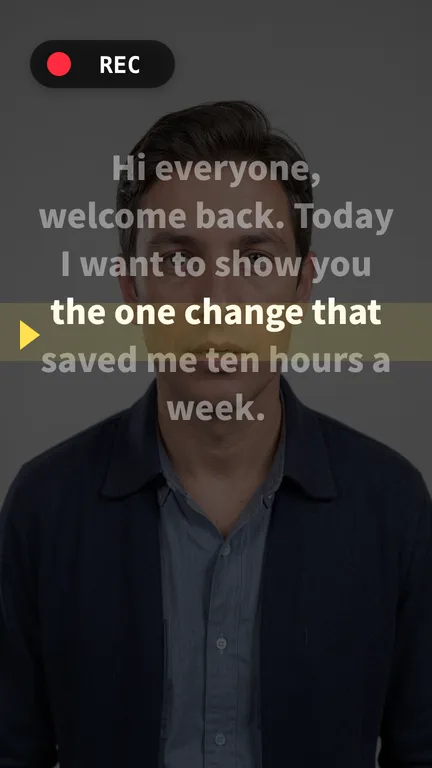
Paste your script and read it off the screen as it scrolls at your speaking pace. Mirror it for a glass rig, go full screen, and control it with the keyboard or a tap.

  • Free, no sign-up
  • Your script stays on your device

Three steps

How it works

  1. 1

    Paste your script

    The page counts the words and tells you how long it takes to read.

  2. 2

    Set speed and size

    Pick words per minute, text size and side margins, and mirror it if you use glass.

  3. 3

    Press Start and read

    Keep your eyes on the red reading line. Space pauses, the arrows change speed.

What you get

Why use this one

Speed you can reason about

Most prompters scroll at a vague 1 to 10. This one scrolls at a pace in words per minute, so the script ends when your talk should.

  • 60 to 240 words per minute
  • Reading time shown before you start
  • Time left shown while it scrolls

Ready for a beam-splitter rig

Mirror the text so it reads the right way round when it bounces off the glass in front of a camera lens.

  • Mirror at a click or with M
  • Full screen on a tablet or monitor
  • Large text up to 120 px

Hands-free control

Start, pause and change the speed without touching the mouse, so you can stay in position.

  • Space to start or pause
  • Arrow keys for speed
  • Tap the text on a tablet
  • F for full screen

Who it is for

Who is this tool for?

  • A YouTuber filming a talking-head video

    She pastes a 600 word script, sets 140 words per minute and reads 4 min 17 s of it straight to the lens.

  • A speaker rehearsing a keynote

    He reads his talk at 120 words per minute in full screen to check it fits his 15 minute slot.

  • A teacher recording a lesson intro

    Text at 72 px with wide margins lets him read from a laptop placed just under the webcam.

  • A shop owner using a glass prompter

    She turns on Mirror, puts a tablet under her beam-splitter glass and records product videos in one take.

Comparison

Zebracat vs. Paper notes or a script on the screen

With Zebracat Paper notes or a script on the screen
Eye line With Zebracat: Read near the lens, line by line Paper notes or a script on the screen: Look down at notes
Pace With Zebracat: Scrolls at your words per minute Paper notes or a script on the screen: You scroll or turn pages yourself
Timing With Zebracat: Reading time known in advance Paper notes or a script on the screen: Found out by trying
Glass rigs With Zebracat: Mirrored text Paper notes or a script on the screen: Not possible
Cost With Zebracat: Free in the browser Paper notes or a script on the screen: Prompter apps are often paid

Good to know

More about this tool

How the scrolling speed is set

The prompter counts the words in your script and works out how long it takes to say at the pace you choose. It then scrolls the text so the last line reaches the reading line at exactly that time. 130 words per minute is a calm, clear pace for most video; go faster for energetic social clips and slower for a speech with pauses.

Reading naturally from a prompter

Put the screen as close to the camera lens as you can, ideally just below it, so your eyes stay near the lens. Make the text large enough to read from where you sit and widen the margins so your eyes move less from side to side. Write the script the way you speak, with short sentences, and mark pauses with a blank line.

From script to video

If you would rather not be on camera, press "Make a video from this script": it opens the Zebracat studio with your script pasted in, ready to become a narrated video with matching visuals.

FAQ

Frequently asked questions

How do I use this teleprompter online?

Paste your script, choose a speed, then press Start or tap the text. Read the line on the red marker.

What speed should I use?

Start around 130 words per minute and adjust with the arrow keys while you rehearse.

Can I mirror the text for a teleprompter glass?

Turn on Mirror the text, or press M, and run it full screen on the tablet under the glass.

Does it record video?

No. It shows your script. Use our webcam recorder in another window, or your camera, to record yourself.

Can I control it from the keyboard?

Space starts and pauses, the up and down arrows change the speed, + and − change the text size, R goes back to the top and F switches full screen.

Is my script saved?

No. It stays in your browser and is gone when you close the page, so keep a copy of anything long.

Does it work on a tablet or phone?

Tap the text to start and pause. Turn a tablet sideways for the most room.

Keep going

Go further

Make the whole video with Zebracat

Make your next video with AI

Describe an idea and Zebracat writes the script, makes the scenes and adds a voiceover and captions.

Start now