



Black FridayEarly Black FridayBF up to −65%Early BF up to −65%Up to 65% off yearly plansEnds inFinal hours00d00h00m00sClaim the deal →
  • Capterra 4.9 /5
  • G2 4.8 /5
  • Trustpilot 4.7 /5

AI Podcast Video Generator

Give Zebracat a topic, name the host and the guest, and it writes their conversation and films it on a podcast set with microphones. It's built for podcast-style clips on YouTube, Shorts, Reels and TikTok.

  • Two hosts you name
  • Studio, living room or desk
  • Up to five minutes
Try an example

Your idea

Say it in your own words, or start from an example above.

Type at least a few words to start.

Format
Set

The look

The look of every scene. Hover a style to see it move.

Visual style

Length and format

Where it will be posted and how long it runs.

Format
Length

You can change the length in your plan before you generate.

Your first video is free. Sign up on the next step and get your video in minutes.

From idea to video

Start from an idea that works

Three ideas this tool is made for. Open one in the form and make it your own.

Your idea

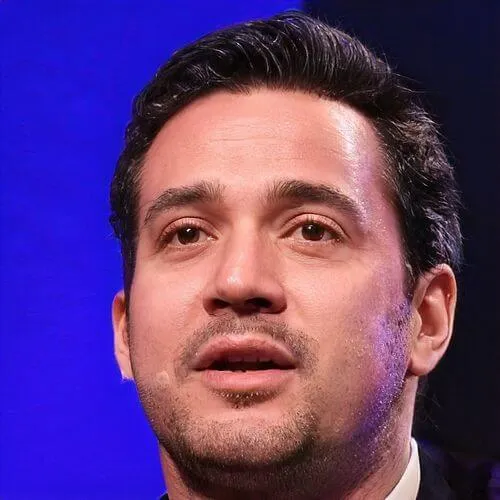
Why scrolling before bed ruins your sleep, and three easy fixes listeners can try tonight.

  • Visual style Photography
  • Format Horizontal 16:9
  • Length 90 s
  • Host 1: name and role Maya, the host who asks what listeners woul…
  • Host 2: name and role Dr. Lee, a sleep coach
  • Format Interview

Example video

Natural studio look

Your idea

Is remote work making us lonely? Both have worked from home for years and disagree on the answer.

  • Visual style Photography
  • Format Horizontal 16:9
  • Length 90 s
  • Host 1: name and role Sam, loves working from home
  • Host 2: name and role Jess, misses the office
  • Format Two friends chatting

Example video

Photographic look

Your idea

Why is everything so expensive right now? Explain inflation with groceries and rent as examples, no jargon.

  • Visual style Photography
  • Format Horizontal 16:9
  • Length 90 s
  • Host 1: name and role Alex, the host
  • Host 2: name and role Priya, an economist
  • Format Expert explains

Example video

Cinematic look

Three steps

How it works

  1. 1

    Cast the two hosts

    Write what the episode is about and give each host a name and a role, like Maya who asks the questions and Dr. Lee the sleep coach. Choose the format and the set, from podcast studio to news desk.

  2. 2

    Edit the conversation

    One press of "Generate video" and a free sign-up later, the conversation is written out turn by turn. Cut a tangent or add a question before the episode is made.

  3. 3

    Publish the episode

    Generate the episode and download it. Put it on YouTube or wherever you publish the show.

What you get

What you can make with it

A podcast set without the studio

Pick a podcast studio with microphones, a cozy living room or a news desk, and the episode is filmed there, with both hosts trading turns at the mics. The look follows the style you choose: Photography, Cinematic or Modern Noir.

  • Podcast studio, living room or news desk
  • Two hosts at the microphones
  • Photography, Cinematic or Modern Noir
A conversation written turn by turn

Name each host and give them a role, like Maya who asks what listeners would ask and Dr. Lee the sleep coach. Zebracat writes the talk in the format you pick, an interview, two friends or an expert explaining, and the plan shows every turn so you can cut a tangent.

  • Interview, Two friends or Expert explains
  • Host names and roles you set
  • Each host with their own AI voice
  • Every turn editable before generating

A clip or a short episode

Choose 60 seconds for a clip or up to 300 for a short episode. This page starts on Horizontal for YouTube; switch to vertical for Shorts, Reels and TikTok. Captions come in the language of the episode.

  • 60, 90, 120, 180 or 300 seconds
  • Horizontal, vertical or square
  • Captions in the episode's language
  • More changes in the editor afterwards

Who it is for

Who is this tool for?

  • Podcasters testing a new show

    Try a show idea as a filmed episode before you book guests or buy microphones. Name the two hosts, pick the format and see whether the conversation holds up for a few minutes.

  • Coaches and consultants

    Turn what you explain to clients into an Expert explains episode: the host asks what clients ask, and the expert answers in plain words. Post it where your clients already watch.

  • Teachers explaining a topic

    Two voices talk a topic through, one asking and one explaining, so a lesson on inflation or sleep plays like a conversation instead of a lecture.

  • YouTube channels that post clips

    Make a horizontal episode for the main channel, then plan a vertical one for Shorts and Reels on the same topic, each written to its own length.

Comparison

Zebracat vs. Recording a podcast yourself

With Zebracat Recording a podcast yourself
Guests With Zebracat: You name both hosts and their roles; nobody has to clear their calendar. Recording a podcast yourself: You book a guest, line up calendars and hope the call goes well.
Equipment With Zebracat: No mics, cameras or lights. The set is generated. Recording a podcast yourself: Mics, cameras, lights and a quiet room for every recording.
Editing With Zebracat: The talk is written to the length you pick, so there is no hour of tape to cut. Recording a podcast yourself: Hours of recording to cut down to the parts worth posting.
Script With Zebracat: Every line is in the plan to read and change before it is made. Recording a podcast yourself: Unscripted talk, with the tangents and surprises that come with it.
Languages With Zebracat: The same video in another language, voices and captions included. Recording a podcast yourself: Re-record with a new speaker.

Good to know

More about this tool

What an AI video podcast generator makes

A video podcast is a podcast you can watch: two people at microphones, talking one topic through. Clips from them fill YouTube, Shorts and Reels, but filming one takes a set, cameras and a guest who turns up. This generator makes the episode from a topic and two hosts. You say what it is about, name each host with a role, pick a format and a set, and Zebracat writes the conversation and generates it as a filmed episode, from a one-minute clip to five minutes. The hosts are AI-generated and speak with AI voices, which suits explainers, show ideas and any topic that is easier to follow with two voices than with one narrator.

How an episode comes together

The topic and the points you want made go in the main box. The roles decide who asks and who answers: "Maya, who asks what listeners would ask" and "Dr. Lee, a sleep coach" give you an interview, while two friends who disagree give you an argument over coffee. The format, Interview, Two friends chatting or Expert explains, sets the shape of the talk. Zebracat writes it turn by turn to the length you chose, plans the scenes on your set and gives each host a voice of their own, with captions. You read the whole conversation in the plan before it is made, and can still edit the finished episode in the Zebracat editor.

Tips for a podcast clip people finish

Give the episode one question to answer. "Sleep" is too wide; "why scrolling in bed ruins your sleep" is not. Give the hosts different jobs, one curious and one who knows, or two who disagree, so the talk has somewhere to go. Ask for something concrete in the brief: three fixes, two examples, a rule of thumb. Keep 60 or 90 seconds for clips and save 180 or 300 for a full short episode. If you want vertical clips as well as the horizontal episode, plan a vertical version rather than cropping the wide one, so the framing is made for the phone.

Reviews

Rated 4.8 by creators and marketers

  • ★★★★★

    Great AI video tool!

    “I know (and used) a lot of AI video tools (for different usecases). Also direct competitors. Zebracat is the only one that gives great results very fast - also the caption styles are great!”

    Robert Leitinger Robert Leitinger CodeRocker - Online Marketing Agency · Reviewed on G2
  • ★★★★★

    I work 3 hours less per day.

    “Since I have been using Zebracat, it has changed the way I work. I save 3 hours a day because the speed of content creation in Zebracat is really impressive.”

    Federico Coppola Federico Coppola CEO at jumponline.it · Reviewed on Trustpilot
  • ★★★★★

    Fresh content that converts

    “We are always on the lookout for new, fresh content which drives conversions for our brands. Finally, we don't rely on expensive and costly agencies anymore.”

    Márton Márton Founder & CMO · Reviewed on Trustpilot

FAQ

Frequently asked questions

What should I type?

The topic and the points you want made. Name the two hosts in their fields, for example 'Dr. Lee, a sleep coach', then pick a format (an interview, two friends chatting or an expert explaining) and a set: podcast studio, cozy living room or news desk.

How long can the podcast clip be?

Anything from 60 to 300 seconds, in five steps. A minute is a clip; three to five minutes is a short episode. The length can still change in your plan.

Who speaks in the video?

The two hosts you named, each in a different AI voice. Their dialogue is in your plan to read and edit before you generate.

Can I post podcast clips on TikTok, Reels and Shorts?

Plan a vertical version for those. Vertical 9:16 is the TikTok, Reels and Shorts shape; this page starts on Horizontal 16:9 because full episodes usually go on YouTube. Square 1:1 is there for feed posts.

Which languages can I use?

The page has a language picker: English, Spanish, German, French, Portuguese, Hindi, Japanese and many more. Both hosts speak it, and the captions are written in it.

Is the video podcast generator free?

Planning is free, and your first video is free. After that, videos use your plan's allowance.

Can I use the podcast videos commercially?

Paid plans include commercial rights, so the episodes can go into ads, client work and monetized channels.

What is an AI video podcast generator?

It creates a short video that looks like a filmed podcast: two people with microphones, trading turns on one topic. Zebracat writes the conversation, casts both hosts and generates the video with their voices.

Keep going

Go further

Make the whole video with Zebracat

Ready to make your video?

Your first video is free. No editing skills needed.

Start now