



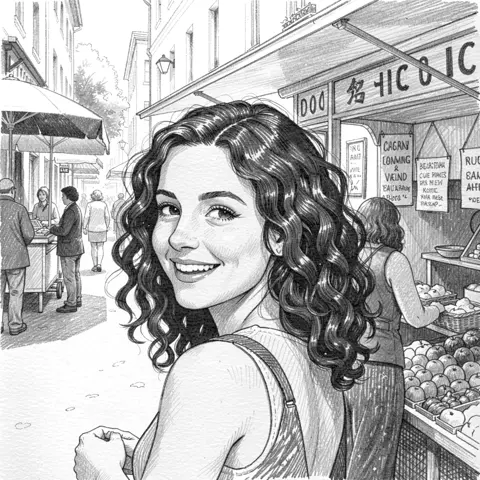
Moves chosen per photo
Each picture gets its own move. A face might get a slow push in, a wide panorama a sideways drift, a crowded group shot a gentle pull back.
- Push in on faces
- Pan across landscapes
- Pull back on groups
 Capterra 4.9
 G2 4.8
 Trustpilot 4.7
Turn your photos into a slideshow with the Ken Burns effect: slow, smooth pans and zooms over each picture. Upload your photos, describe the story, and get a slideshow that feels like a documentary.
Your first video is free. Sign up on the next step and get your video in minutes.
Three steps
What they cover, the order, the pace, and whether a voice should narrate or music should carry it.
Add up to 5 photos here in the order you want them. Sign up when the studio opens: they are already attached, and you can add more there.
The plan lists each photo with its move. Adjust the order or the words, then generate.
What you get
Each picture gets its own move. A face might get a slow push in, a wide panorama a sideways drift, a crowded group shot a gentle pull back.
Only the virtual camera moves. Every photo is kept exactly as you took it.
Ask for a short line of narration per photo, or let soft music carry a memorial or a wedding slideshow.
Who it is for
They attach 15 photos from childhood to old age, ask for soft piano and slow moves, and play it at the service.
The admin sends 1920s postcards of the town square and asks for a narrator to explain each one.
They attach photos in the order they drove and ask for one line about each stop.
The owners send photos from the first loaf to the new shop front for an anniversary post.
Comparison
Good to know
The effect is named after the documentary maker Ken Burns, whose films about American history brought old photographs to life with slow pans and zooms. The technique was used before him, but his name stuck. Today it is the standard way to turn still photos into something that feels like film.
Use photos larger than the video you want, so a zoom stays sharp. Keep faces and subjects away from the very edges, since the camera may push towards them. And mix close shots with wide ones. A slideshow of only close-ups feels cramped. Only wide shots feels distant.
A memorial wants slow moves, soft piano and 10 to 15 photos from childhood to old age. A wedding slideshow can run a little faster with warm music and a short line per moment. A road trip works best in the order you drove, with one spoken line per stop. Old scans and postcards suit a narrator who explains each one.
Reviews
★★★★★
”The variety—from photo-realistic to stop-motion—is perfect for my channel and better suited to my needs than other tools I've tried. I visit the site often and consistently get the results I want.”
 Kelly Content creator, small-business owner · Reviewed on G2
★★★★★
“I’ve been using it for 3 weeks, testing 3-4 videos per day. This saves a lot of time, gets results, and costs way less than hiring creators.”
 Yasemin F. Social Media Marketer · Reviewed on Capterra
★★★★★
“I know (and used) a lot of AI video tools (for different usecases). Also direct competitors. Zebracat is the only one that gives great results very fast - also the caption styles are great!”
 Robert Leitinger CodeRocker - Online Marketing Agency · Reviewed on G2
FAQ
Slow pans and zooms across still photos that make a slideshow feel like a documentary.
Up to 15. The studio plans a move for each one, and 8 to 15 photos keep a short social video moving.
Upload them in order, or describe the order in the box: "start with the wedding, end with the grandchildren".
Ask for a short spoken line per photo, or write out the exact words you want read.
The camera moves inside each photo, so an edge may slip out of frame for a moment. The photo itself isn't changed.
Add up to 5 photos in the box on this page. They stay attached through sign-up and arrive in the studio with your words. Add more with the paperclip there.
Planning is free, and your first video is free. After that, videos use your plan's allowance.
Keep going
 Image Animator New Bring a still photo to life with gentle motion.
 Animate Drawing New Bring a sketch or a child's drawing to life.
 Travel Video Maker Places, one per scene, narrated like a travel show.
 Product Video Maker Your product as the hero of every shot.
 Script to Video Maker Paste your script, get a narrated video with matching visuals.
Go further
Start from your own pictures and animate them into short clips.
Describe a shot and get a scene you can drop into your video.
Vertical videos sized for Instagram and ready to post.
Find the plan that fits how much video you make.