Black FridayEarly Black FridayBF up to −65%Early BF up to −65%Up to 65% off yearly plansEnds inFinal hours00d00h00m00sClaim the deal →
  • Capterra 4.9 /5
  • G2 4.8 /5
  • Trustpilot 4.7 /5

New

AI Motion Graphics Generator

Describe an explainer, an ad or a product launch, and Zebracat animates it: kinetic text, charts that build, icons and diagrams in 2D, or real 3D scenes with studio light and a moving camera. Voiceover, captions and music come with it, and every scene stays editable.

  • 2D motion graphics and 3D animation
  • Voiceover, captions and music included
  • Every scene editable in the editor
  • On paid plans
Try an example

Your idea

Say it in your own words, or start from an example above.

Type at least a few words to start.
Look
Voiceover

Length and format

Where it will be posted and how long it runs.

Your first video is free. Sign up on the next step and get your video in minutes.

From idea to video

Start from an idea that works

Three ideas this tool is made for. Open one in the form and make it your own.

Your idea

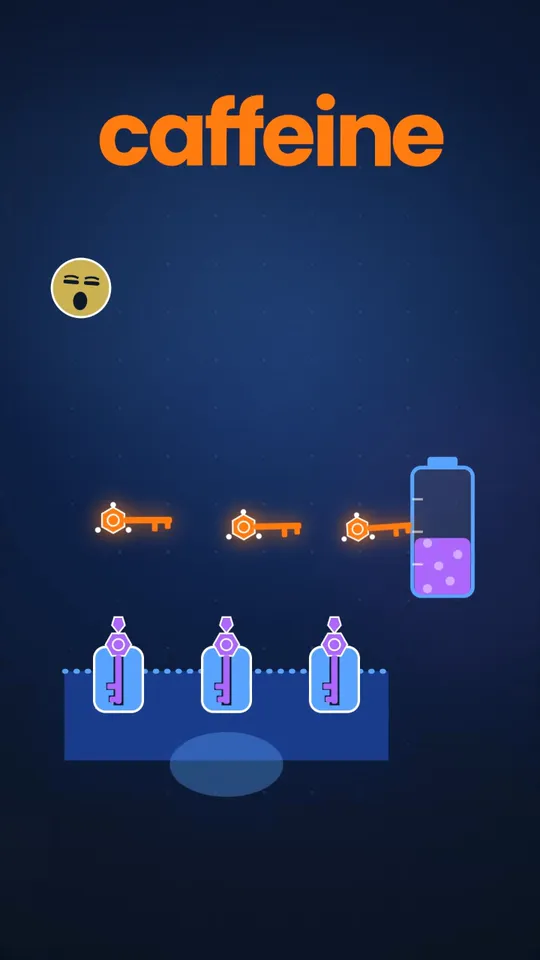
A 30-second explainer: why coffee wakes you up. Show caffeine blocking the sleepy signal in the brain, step by step, with a calm narrator.

  • Format Vertical 9:16
  • Look 2D motion graphics
  • Voiceover With a narrator

Example video

Budgeting app ad, motion graphics

Your idea

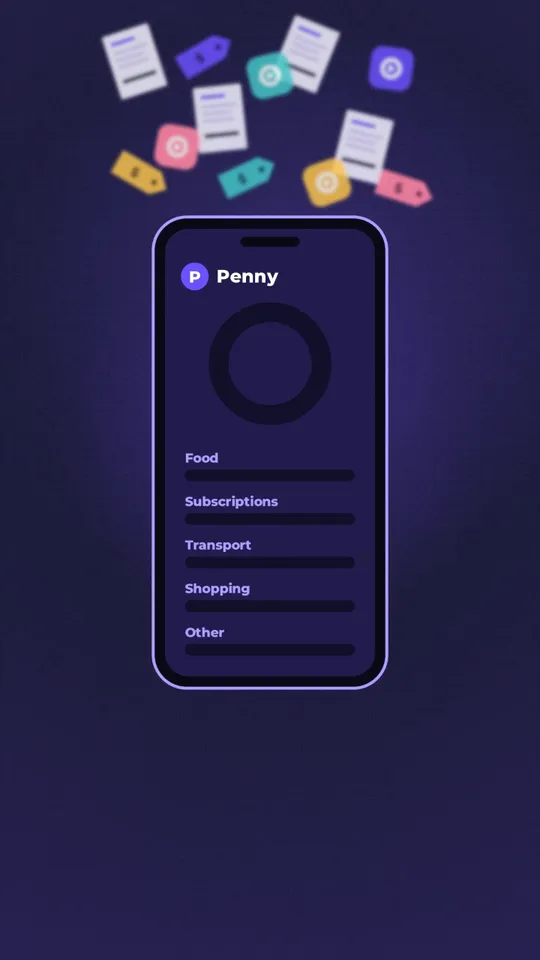
A 20-second ad for a budgeting app called Penny: money seems to disappear every month, then the app sorts every expense into clear categories. End on the logo.

  • Format Vertical 9:16
  • Look 2D motion graphics
  • Voiceover With a narrator

Example video

Coffee explainer, motion graphics

Your idea

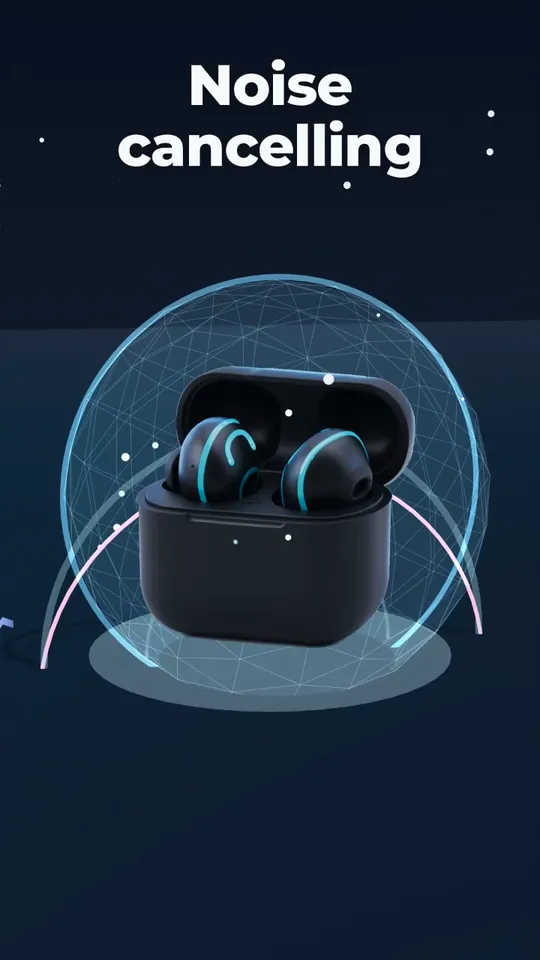
A 15-second spot for wireless earbuds: the case opens, the camera circles the earbuds, then 40-hour battery and noise cancelling appear as the camera moves.

  • Format Vertical 9:16
  • Look 3D animation
  • Voiceover Music only, no narrator

Example video

Earbuds product spot, 3D animation

Three steps

How it works

  1. 1

    Describe the video

    Type what the video should explain or sell, and pick 2D motion graphics or 3D animation. Open it in the studio: your text is waiting there, after sign-up too.

  2. 2

    Read the plan

    Zebracat writes the screenplay scene by scene, with the voiceover, captions and music, and shows the credits it will use. Change any line before you generate.

  3. 3

    Generate and edit

    Each scene is animated on its own. Open the video in the editor to change a word, a colour or the timing, then download it.

What you get

What you can make with it

Ads and launches that move

Name the product, the problem and the offer, and the ad is built from animated type, icons and app screens drawn as graphics, with the voiceover and captions timed to every beat. Make it vertical for Reels and TikTok, or horizontal and square.

  • Kinetic text timed to the voiceover
  • Icons, app screens and charts that build
  • Vertical, horizontal or square
Explainers that make an idea click

Ask a question, like why coffee wakes you up, and each scene draws one step of the answer, a diagram filling in while the narrator explains it. It suits science, money, onboarding and how-it-works videos.

  • One idea per scene
  • Diagrams, labels and simple characters
  • Narrated in the language you pick

3D animation for products

Choose 3D animation and each scene is built as a real 3D scene: modelled objects, studio light and a camera that moves around them. Show a product from every side, or how something works inside.

  • Modelled objects and studio light
  • A camera that moves through the scene
  • Rendered in code, nothing filmed

Who it is for

Who is this tool for?

  • Marketers and ad teams

    Turn a launch, an offer or a feature into a short animated ad for Reels, TikTok and YouTube, without briefing a motion designer for every version.

  • Teachers and course creators

    Explain a process step by step, how a vaccine trains the body, say, or how interest compounds, with diagrams that build while the narrator talks.

  • SaaS and app teams

    Walk through a feature or an onboarding flow with animated screens, icons and charts, for a product page, a changelog post or a sales deck.

  • Product brands

    Show a product in 3D, the case, the parts and what it does, as a short spot for a launch post or an ad.

Comparison

Zebracat vs. Hiring a motion designer

With Zebracat Hiring a motion designer
Getting started With Zebracat: Describe the video in a few lines and read the plan. Hiring a motion designer: A brief, a storyboard and a quote before any animation starts.
Script and voice With Zebracat: Written from your brief, then voiced and captioned. Hiring a motion designer: Written and recorded separately, then animated to fit.
Changes With Zebracat: Edit a line in the plan or a layer in the editor. Hiring a motion designer: Each change is another round of revisions.
Cost With Zebracat: Credits per second on a paid plan. Hiring a motion designer: A project fee or a day rate.
Formats With Zebracat: Vertical, square and wide cuts from one plan. Hiring a motion designer: A new export and often a new layout per format.

Good to know

More about this tool

What the AI motion graphics generator makes

It turns a written idea into an animated video in one of two looks. Motion graphics is 2D: kinetic text, charts that build, icons, diagrams and simple characters, the look of an explainer or an app ad. 3D animation builds each scene from modelled objects with studio light and a moving camera, the look of a product spot. Both come with a voiceover, captions and music, in vertical, horizontal or square. You describe the video in the Zebracat studio; the plan shows the screenplay and the credits, and the video is made when you press Generate.

How a scene is made

Zebracat plans the video the way it plans any video: the words for each scene, the voice, the captions and the music. Then an AI scene writer draws every scene as animation of its own, built from layers rather than a flat clip. That is why the finished video opens in the Zebracat editor as text, shapes and charts you can change, move or retime. The quality setting decides how rich the scenes are and how many credits each second uses.

Tips for a motion graphics video that works

Say who the video is for and the one thing they should remember. Put the real numbers in your brief if you want a chart. Keep an ad short, 15 to 30 seconds, and give an explainer one step per scene. Ask for 3D animation when the subject is an object people should see from every side, and for motion graphics when it is an idea, a process or a set of numbers.

Reviews

Rated 4.8 by creators and marketers

  • ★★★★★

    Great AI video tool!

    “I know (and used) a lot of AI video tools (for different usecases). Also direct competitors. Zebracat is the only one that gives great results very fast - also the caption styles are great!”

    Robert Leitinger Robert Leitinger CodeRocker - Online Marketing Agency · Reviewed on G2
  • ★★★★★

    I work 3 hours less per day.

    “Since I have been using Zebracat, it has changed the way I work. I save 3 hours a day because the speed of content creation in Zebracat is really impressive.”

    Federico Coppola Federico Coppola CEO at jumponline.it · Reviewed on Trustpilot
  • ★★★★★

    Fresh content that converts

    “We are always on the lookout for new, fresh content which drives conversions for our brands. Finally, we don't rely on expensive and costly agencies anymore.”

    Márton Márton Founder & CMO · Reviewed on Trustpilot

FAQ

Frequently asked questions

What is an AI motion graphics generator?

It turns a written idea into an animated video: moving text, charts, icons and diagrams, or 3D scenes, with a voiceover and captions. Zebracat writes the screenplay, animates each scene and keeps every scene editable.

What is the difference between motion graphics and 3D animation?

Motion graphics is 2D: kinetic text, charts, icons and diagrams, best for explainers, data stories and app ads. 3D animation builds real 3D scenes with modelled objects, studio light and a moving camera, best for products and how-it-works videos.

How do I make one in Zebracat?

Describe the video in the form on this page, pick 2D motion graphics or 3D animation, and open it in the studio. Your text is waiting there, even after you sign up. Read the plan, change anything you like, then press Generate.

Do I need a paid plan?

Motion graphics runs on Zebracat's paid plans. Planning is free, and your plan shows the exact credits before anything is made. On the free plan, an idea is made as a regular AI video instead.

How many credits does it use?

Motion graphics uses 2 to 3 credits per second and 3D animation 3 to 6, depending on the quality you choose, with a 15-second minimum. Your plan shows the exact credits before you generate.

How long can the video be?

You set the length in your plan. Ads of 15 to 30 seconds and explainers of about a minute suit it best.

Can I edit the animation?

The finished video opens in the Zebracat editor with each scene as layers: text, shapes and charts you can change, move or retime before you download it.

Does it come with a voiceover and captions?

Both, plus music. It is planned like any Zebracat video, with a voiceover in the language you pick, so you can change the voice or any line before you generate.

Can I use the videos commercially?

Motion graphics is only on paid plans, and those include commercial rights for ads, client work and monetized channels.

Keep going

Go further

Make the whole video with Zebracat

Ready to make your video?

Your first video is free. No editing skills needed.

Start now