



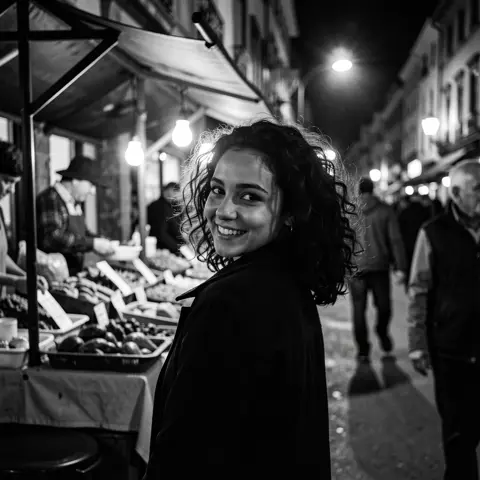
The tape's flaws, on purpose
Soft scan lines, colour that bleeds past its edges, a wobble of tracking noise at the bottom of the frame: the things that made home video look like home video.
- Scan lines
- Colour bleed
- Tracking noise
- A soft, warm picture
 Capterra 4.9
 G2 4.8
 Trustpilot 4.7
Make a video that looks like it was taped off the TV in 1995, fuzzy edges and all. Type your idea and get a retro video with a voice and music.
Your first video is free. Sign up on the next step and get your video in minutes.
Three steps
A birthday on camcorder, a late-night infomercial, a skate session in a car park: say what was "recorded".
Choose a mood and a base style. The tape look goes on every scene, and planning is free.
Read the plan, generate, and post a clip that looks like it came off an old cassette.
What you get
Soft scan lines, colour that bleeds past its edges, a wobble of tracking noise at the bottom of the frame: the things that made home video look like home video.
Every scene is created in the VHS look from your idea, so the effect sits naturally in the picture instead of on top of it.
Found footage, fake retro adverts, nostalgic family moments and lo-fi music clips all live in this look.
Who it is for
He writes "camcorder footage of a family's last night in a farmhouse" and gets a found-footage teaser.
They ask for a 1994-style TV advert with a jingle feel for a throwback campaign.
He types "a neon arcade on a Friday night, kids on skateboards" as a visual for his new single.
They post "a 90s birthday party: cake, balloons, a dog stealing a sandwich" with tape noise for a memory trend.
Comparison
Good to know
Home video tape, popular from the late 1970s into the 2000s, recorded a soft picture of roughly 240 lines. Colours smeared slightly sideways, the image wobbled when the tape stretched, and a band of noise appeared when tracking was off. Those flaws now signal nostalgia instantly.
Anything that might once have been recorded on a camcorder or broadcast on late-night TV: birthday parties, school plays, holiday videos, cheesy adverts, weather reports, skate sessions. Horror creators use it for found footage because the low detail makes viewers lean in.
Found footage for a horror short: camcorder shots of a farmhouse on its last night. A fake 1994 TV advert for a throwback campaign. A 90s birthday with cake, balloons and a dog stealing a sandwich. A neon arcade on a Friday night as the visual for a synthwave single. Ask for a date stamp in the corner and the tape look sells the year.
Reviews
★★★★★
”The variety—from photo-realistic to stop-motion—is perfect for my channel and better suited to my needs than other tools I've tried. I visit the site often and consistently get the results I want.”
 Kelly Content creator, small-business owner · Reviewed on G2
★★★★★
“I’ve been using it for 3 weeks, testing 3-4 videos per day. This saves a lot of time, gets results, and costs way less than hiring creators.”
 Yasemin F. Social Media Marketer · Reviewed on Capterra
★★★★★
“I know (and used) a lot of AI video tools (for different usecases). Also direct competitors. Zebracat is the only one that gives great results very fast - also the caption styles are great!”
 Robert Leitinger CodeRocker - Online Marketing Agency · Reviewed on G2
FAQ
Describe the video, pick a mood, press Generate video, sign up, check the plan and generate. The tape look is part of every scene.
Describe it in the box: camcorder footage, a shaky handheld camera, a family's last night in an old house. Pick Modern Noir for horror, and every scene is made new in the tape look.
Ask for one in your description, like "a camcorder date stamp reading DEC 24 1996".
Photography gives the most camcorder-like base. Cinematic suits a retro film, and Modern Noir suits horror.
Pick a voice in the form. Choose no voice if you want a music-only clip.
Pick vertical in the form. Tape footage was 4:3, but vertical works well for social posts.
Planning is free, and your first video is free. After that, videos use your plan's allowance.
Keep going
 Open-World Game Style Video Generator New Trailers in the look of an open-world crime game.
 AI Movie Maker A short film with a cast, dialogue and an ending.
 Lyric Video Maker New Your song with its words on screen and matching pictures.
 Prompt to Video Describe an idea in one line and let AI plan the whole video.
 POV Video Generator Seen through your own eyes, scene by scene.
Go further
Start from your own pictures and animate them into short clips.
Write or paste your text and Zebracat builds the whole video around it.
Write a few lines and get a Reel back with a voice and captions on it.
Start free and upgrade when you need more videos and features.


