Black FridayEarly Black FridayBF up to −65%Early BF up to −65%Up to 65% off yearly plansEnds inFinal hours00d00h00m00sClaim the deal →
  • Capterra 4.9 /5
  • G2 4.8 /5
  • Trustpilot 4.7 /5

Brainrot Video Generator

Type a story, a fact or a hot take and Zebracat turns it into a fast, captioned brainrot video over gameplay footage. Pick the gameplay, the voice and the caption style, and post it to TikTok, Shorts or Reels.

  • Story, fact or rant
  • Gameplay from the library
  • Word-by-word captions
Try an example

Your idea

Say it in your own words, or start from an example above.

Type at least a few words to start.
Type

Length and format

Where it will be posted and how long it runs.

Format
Length

You can change the length in your plan before you generate.

Voice and sound

Who tells the story, and what plays behind it.

Voice

All voices

Background
Captions

Your first video is free. Sign up on the next step and get your video in minutes.

From idea to video

Start from an idea that works

Three ideas this tool is made for. Open one in the form and make it your own.

Your idea

POV: you said one wrong word in the group chat and now everyone is after you.

  • Format Vertical 9:16
  • Length 45 s
  • Type Story

Example video

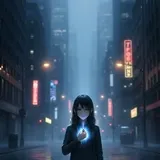
Story over Subway Surfers gameplay

Your idea

The door-in-the-face trick: how salespeople get a yes by asking for too much first.

  • Format Vertical 9:16
  • Length 45 s
  • Type Fact

Example video

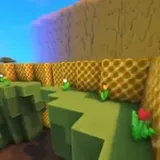
Story over Minecraft parkour

Your idea

Why nobody should send a text after 11 pm.

  • Format Vertical 9:16
  • Length 45 s
  • Type Rant

Example video

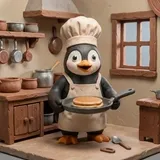
Italian brainrot meme

Three steps

How it works

  1. 1

    Pick the gameplay

    Choose the gameplay that runs underneath, such as Minecraft parkour or a Subway Surfers run, then type your story, fact or rant. Add a narrator and a caption style.

  2. 2

    Tighten the lines

    Press "Generate video" and sign up at no cost. The plan breaks your text into short spoken lines over the gameplay clip, and you can edit any line before it is voiced.

  3. 3

    Generate and upload

    Generate it in the app, then download the finished clip and post it to your feed.

What you get

What you can make with it

Your text, narrated over gameplay

Type a story, a fact or a rant and pick the gameplay that runs underneath. Zebracat writes or tightens the script, splits it into short spoken lines and lays the narration over the clip, with captions.

  • Subway Surfers-style runs or Minecraft parkour
  • Nothing to record or download
  • 30, 45 or 60 seconds

Captions that keep people reading

Big word-by-word captions are half of the format. Pick a caption style and a narrator on this page, and change either one in the plan if the first choice feels off.

  • Choose a caption style
  • Script, voice and captions in your language
  • Edit any line before it is voiced

Try another background or voice

Every video starts from a plan, so a second version is simple: keep the script and swap the gameplay, the narrator or the caption style. Post both and see which one people watch longer.

  • Swap the gameplay in the plan
  • Try another narrator
  • Switch between 30, 45 and 60 seconds

Who it is for

Who is this tool for?

  • Group-chat storytellers

    That one message that set the whole chat off deserves an audience. Type what happened, pick Story, and get it told line by line over gameplay, with captions.

  • Psychology and life-hack pages

    Explain a trick like the door-in-the-face technique as a 45-second fact video. The gameplay keeps eyes on the screen while the narrator gets through the explanation.

  • Hot-take and rant accounts

    Set the type to Rant and write the opinion you'd defend at dinner, like why nobody should text after 11 pm. Pick a fast voice and a loud caption style to match.

  • Channels testing what works

    Run the same script over different gameplay, voices or caption styles and see which version your audience watches to the end. Each version starts from the plan, so you change one thing at a time.

Comparison

Zebracat vs. Editing it yourself in an app

With Zebracat Editing it yourself in an app
Gameplay With Zebracat: Picked from the library: Subway Surfers-style runs, Minecraft parkour Editing it yourself in an app: Record your own, or find a clip you are allowed to use
Script With Zebracat: Your story, fact or rant cut into short spoken lines Editing it yourself in an app: Written and trimmed by hand
Voice With Zebracat: An AI narrator in the language you choose Editing it yourself in an app: Your own recording, or a separate voice tool
Captions With Zebracat: Word-by-word captions in the style you pick Editing it yourself in an app: Timed to the audio by hand, one caption at a time
New versions With Zebracat: Swap the gameplay or the caption style in the plan Editing it yourself in an app: Re-edit and export each version again

Good to know

More about this tool

What a brainrot video generator does

Brainrot is the short-form format where a narrator tells a story over gameplay footage while big captions flash word by word. The gameplay keeps the eyes busy and the story keeps people listening. This generator makes the whole thing from your text: you type a story, a fact or a rant, pick the gameplay loop, the narrator and the caption style, and Zebracat writes the narration, voices it, captions it and lays it over the background. You don't need the game or any editing software.

How the video is built

The type you choose tells the AI how to shape your text: a story builds to a twist, a fact is set up and explained, a rant makes its case. The script is then cut into short lines sized for narration. After you sign up, your plan shows those lines over the gameplay, and you can edit any of them or change the voice, the captions, the length or the format. Generating records the AI voiceover, times the captions to it and places everything on the gameplay loop. The video can be edited in the Zebracat editor and then downloaded.

Tips for brainrot that keeps viewers

Put the strongest line first: the moment, the claim or the question that makes someone stop scrolling. Keep sentences short, since each one becomes a caption. For a single fact or a quick rant, 30 or 45 seconds is usually enough. Match the gameplay to the mood: a fast run for a frantic story, steady parkour for a longer explanation. Write your own stories instead of retelling someone else's word for word, and read each platform's rules on AI-generated videos before you monetize.

Reviews

Rated 4.8 by creators and marketers

  • ★★★★★

    Hit +1M views on YouTube Shorts

    “I’ve been using it for 3 weeks, testing 3-4 videos per day. This saves a lot of time, gets results, and costs way less than hiring creators.”

    Yasemin F. Yasemin F. Social Media Marketer · Reviewed on Capterra
  • ★★★★★

    Intuitive product for viral shorts

    “Really intuitive product. Very easy to create Instagram/Youtube shorts. I love the sheer amount of stock footage and also the scripts generated from the AI are very accurate!”

    Shivay Lamba Shivay Lamba Builder & Сreator · Reviewed on Trustpilot
  • ★★★★★

    One of the Best Videos Creator On the Market

    “I use this app every single day. It’s very easy to make a story video. The quality is amazing, easy to used. The support very helpful!”

    Samnang Bradley Samnang Bradley Content creator · Reviewed on Trustpilot

FAQ

Frequently asked questions

What should I type?

Anything with a hook: a story that ends with a twist, a weird fact, a group-chat drama or a rant. Say which one it is with the Type buttons, and start with the line that makes people stop scrolling.

How long are brainrot videos?

30, 45 or 60 seconds. Shorter usually keeps more people to the end. You can change the length in your plan.

Which gameplay backgrounds can I use?

Pick a gameplay loop from Zebracat's library on this page, including Subway Surfers-style runs and Minecraft parkour. You don't need to record or download any footage.

Can I choose the voice and the captions?

Both are picked on this page, and fast, energetic voices suit the format. If the first pick feels off, change it in your plan before you generate.

Which languages can I use?

Any of the languages in the picker, including English, Spanish, German, French, Portuguese, Hindi and Japanese. The narrator reads it and the captions are written in it.

Is the brainrot video generator free?

Planning is free, and your first video is free. After that, videos use your plan's allowance.

Can I post brainrot videos on monetized accounts?

If they follow each platform's rules. Write your own stories rather than reposting other people's, and check the platform's policy on AI-generated content.

What is a brainrot video generator?

It makes the short-form format where a narrated story plays over gameplay footage, like Subway Surfers or Minecraft parkour, with big word-by-word captions. Zebracat writes or tightens the script, voices it, adds captions and puts it over the background you choose.

Keep going

Go further

Make the whole video with Zebracat

Ready to make your video?

Your first video is free. No editing skills needed.

Start now