


Black FridayEarly Black FridayBF up to −65%Early BF up to −65%Up to 65% off yearly plansEnds inFinal hours00d00h00m00sClaim the deal →
  • Capterra 4.9 /5
  • G2 4.8 /5
  • Trustpilot 4.7 /5

AI POV Video Generator

Type a 'POV:' scenario, pick when it happens and the mood, and Zebracat films it in first person, so the viewer is the one living it. Every shot is through their eyes, with narration and captions.

  • Every shot in first person
  • Today, past, future, fantasy
  • Epic, funny, scary or cozy
Try an example

Your idea

Say it in your own words, or start from an example above.

Type at least a few words to start.
When
Mood

The look

The look of every scene. Hover a style to see it move.

Visual style

Length and format

Where it will be posted and how long it runs.

Format
Length

You can change the length in your plan before you generate.

Voice and sound

Who tells the story, and what plays behind it.

Voice

All voices

Your first video is free. Sign up on the next step and get your video in minutes.

From idea to video

Start from an idea that works

Three ideas this tool is made for. Open one in the form and make it your own.

Your idea

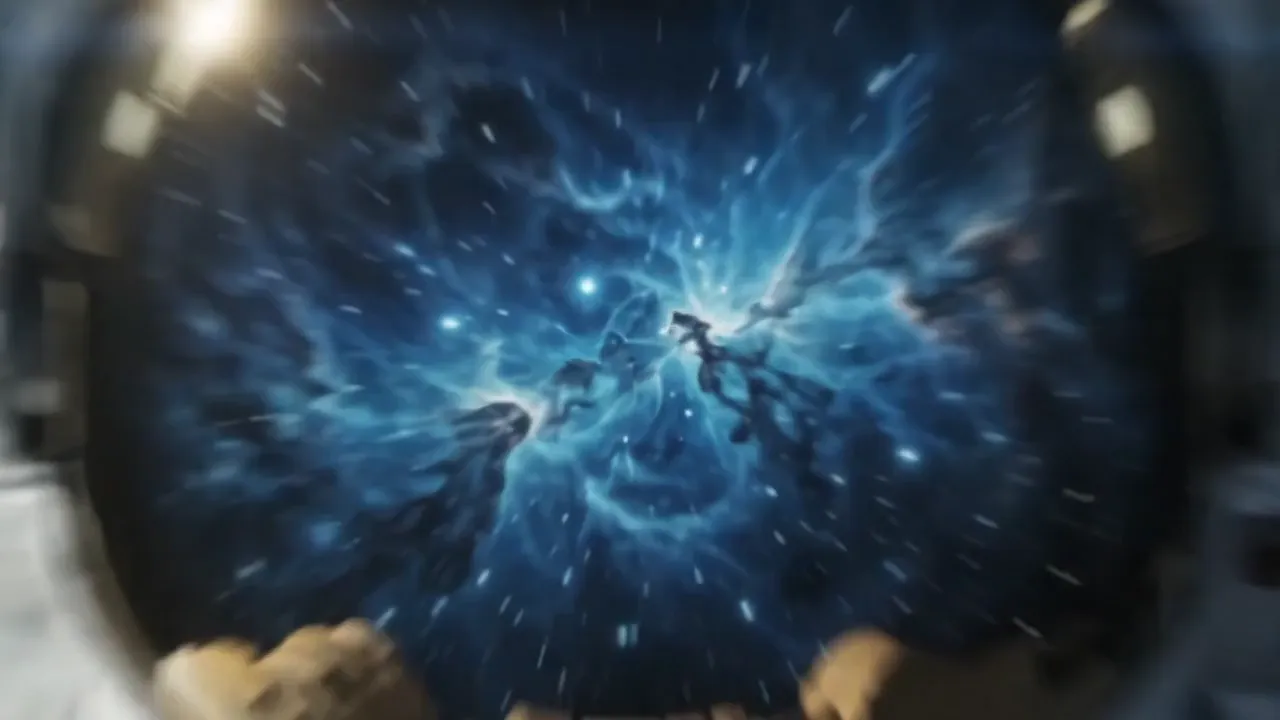
POV: your first day as an astronaut on the International Space Station.

  • Visual style Cinematic
  • Format Vertical 9:16
  • Length 30 s
  • When In the future
  • Mood Epic

Example video

Natural look

Your idea

POV: you are a knight walking into the dragon's cave alone.

  • Visual style Cinematic
  • Format Vertical 9:16
  • Length 30 s
  • When Fantasy world
  • Mood Scary

Example video

Photographic first-person look

Your idea

POV: you open your tiny coffee shop in Tokyo at 5 am.

  • Visual style Cinematic
  • Format Vertical 9:16
  • Length 30 s
  • When Today
  • Mood Cozy

Example video

Cinematic short made with Zebracat

Three steps

How it works

  1. 1

    Write the POV

    Start with "POV:" and the moment, like opening a tiny coffee shop in Tokyo at 5 am. Choose when it happens, the mood, and a style from Cinematic to Pixel Art.

  2. 2

    See it through your eyes

    The "Generate video" button takes you to a free sign-up, then to your plan: every first-person shot with the narration over it. Change the moment or the voice before anything is generated.

  3. 3

    Post your POV

    Generate the video, download it and post it with the POV line as the caption.

What you get

What you can make with it

The viewer is the camera

Every shot is framed from the viewer's own eyes, so they never appear on screen. The narration talks to them as "you", and the scenes follow the moment you wrote from the first step in to the last line.

  • First-person framing in every shot
  • Narration written to the viewer
  • A narrator voice, or No voice

Set the era and the mood

Choose Today, In the past, In the future or Fantasy world, then Epic, Funny, Scary or Cozy. The same line, your first night shift as a lighthouse keeper, plays very differently as Scary or as Cozy, and the scenes follow the mood.

  • Today, the past, the future or a fantasy world
  • Epic, Funny, Scary or Cozy
  • Cinematic, Natural, Anime or Pixel Art

Short enough for the feed

Pick 15, 30, 45 or 60 seconds. Fifteen holds a single moment; sixty leaves room for a small story with a turn at the end. Post it vertical with your POV line as the caption.

  • 15, 30, 45 or 60 seconds
  • Vertical first, for the POV feed
  • Voices in 24 languages

Who it is for

Who is this tool for?

  • Creators who post POV trends

    Turn a "POV:" line into a full video instead of text over a selfie. Change one word, the job or the place, and plan the next one in the series.

  • Gaming and fantasy channels

    Walk the viewer into a dragon's cave or a pixel-art dungeon. Fantasy world with Pixel Art or Anime gives you game-like scenes without recording any gameplay.

  • History and story channels

    Pick In the past and put the viewer in someone else's day, a knight before battle or a keeper on a lighthouse, with a narrator telling them what they see.

  • Recruiters showing a day on the job

    Show the first shift through the new hire's eyes: arriving, the first task, the first customer. Keep it in Today and pick Cozy or Epic to match the role.

Comparison

Zebracat vs. Filming a POV with your phone

With Zebracat Filming a POV with your phone
Setting With Zebracat: Anywhere you can describe: a space station, a dragon's cave, Tokyo at 5 am. Filming a POV with your phone: Wherever you can get to with a phone or a chest mount.
Era With Zebracat: Now, long ago, centuries ahead or a world that never existed. Filming a POV with your phone: Today only, unless you build costumes and sets.
Camera work With Zebracat: First-person framing is planned for every shot. Filming a POV with your phone: You hold the camera at eye level and keep it steady yourself.
Narration With Zebracat: Written and voiced for you, or left out for music and captions. Filming a POV with your phone: You write and record it, or put the story in on-screen text.
Posting With Zebracat: Schedule it straight to TikTok, Instagram and YouTube. Filming a POV with your phone: Export, upload and caption each one by hand.

Good to know

More about this tool

What a POV video is, and what this tool makes

A POV video puts the viewer inside a moment: "POV: your first night shift as a lighthouse keeper". On social they are often just a line of text over a selfie. This generator makes the moment itself. You write the POV line, choose when it happens and the mood, and Zebracat writes a narration that talks to the viewer as "you", plans every shot from their eyes and generates the scenes in the style you pick, with a voiceover and captions. The viewer never appears on screen, because they are the camera. It works for trends, story channels, history and anything that is more fun to live than to watch.

How the first-person video is made

The scenario is the spine. Zebracat takes the place, the role and the moment from your line and turns them into a short run of scenes with a beginning and an end. The era moves the setting in time, and the mood sets how the narration is written and how the scenes feel. The AI then plans each shot at the viewer's eye level, makes the visuals in Cinematic, Natural, Anime or Pixel Art, and adds the voice you picked, or none, plus captions. You see every first-person shot in the plan before it is generated and can change the moment or the narration there. Once it is made, the Zebracat editor is there for final touches.

Writing a POV people step into

Start with "POV:", then a role and a moment: "you open your tiny coffee shop in Tokyo at 5 am" gives the scenes far more than "a coffee shop". Write "you", not "I", because the viewer is the one living it. Pick a mood that matches the setting for a straight story, or one that fights it for a surprise: a cozy dragon's cave, a scary first day at the office. Fifteen seconds is enough for one moment; a minute lets the scene turn. Post it vertical and use the POV line as the caption, since that line tells viewers who they are before the first shot.

Reviews

Rated 4.8 by creators and marketers

  • ★★★★★

    Hit +1M views on YouTube Shorts

    “I’ve been using it for 3 weeks, testing 3-4 videos per day. This saves a lot of time, gets results, and costs way less than hiring creators.”

    Yasemin F. Yasemin F. Social Media Marketer · Reviewed on Capterra
  • ★★★★★

    Intuitive product for viral shorts

    “Really intuitive product. Very easy to create Instagram/Youtube shorts. I love the sheer amount of stock footage and also the scripts generated from the AI are very accurate!”

    Shivay Lamba Shivay Lamba Builder & Сreator · Reviewed on Trustpilot
  • ★★★★★

    One of the Best Videos Creator On the Market

    “I use this app every single day. It’s very easy to make a story video. The quality is amazing, easy to used. The support very helpful!”

    Samnang Bradley Samnang Bradley Content creator · Reviewed on Trustpilot

FAQ

Frequently asked questions

What should I type?

A scenario that's easy to step into: 'POV: your first day as a barista in a tiny Tokyo coffee shop'. Pick when it happens (today, the past, the future or a fantasy world) and the mood, and Zebracat writes the rest.

How long can the POV video be?

15, 30, 45 or 60 seconds. One moment needs about 15; give it a minute if the scene should turn.

Can I make POV videos for TikTok, Reels and Shorts?

Vertical 9:16 is where POV lives, on TikTok, Reels and Shorts alike. Horizontal 16:9 and Square 1:1 are there too, and the format can change in your plan.

Can I choose the voice?

Pick a narrator on this page, or No voice for music and captions only. You can change your mind in the plan.

Which languages can I use?

Any language from the picker: English, Spanish, German, French, Portuguese, Hindi, Japanese and many more. The 'you' in the narration speaks it, and so do the captions.

Is the AI POV video generator free?

Planning is free, and your first video is free. After that, videos use your plan's allowance.

Can I use POV videos commercially?

Paid plans include commercial rights, so a POV video can run as an ad, go into client work or sit on a monetized channel.

What is a POV video?

A POV (point of view) video shows a situation through the viewer's own eyes. The camera is the viewer, so they never appear on screen. Zebracat writes the narration, generates every shot in first person and adds a voiceover and captions.

Keep going

Go further

Make the whole video with Zebracat

Ready to make your video?

Your first video is free. No editing skills needed.

Start now