



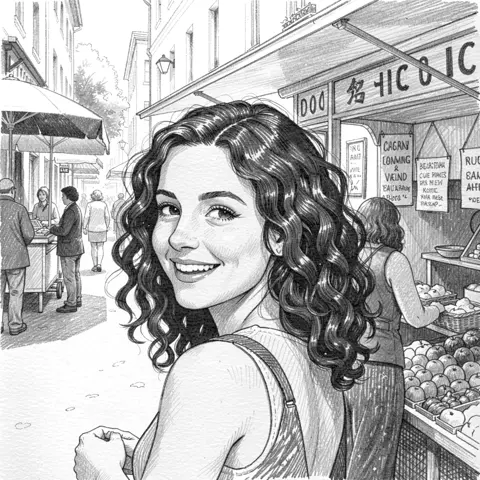
Cinemagraphs, the subtle kind
Keep a café still while only the steam rises, or a street frozen except for falling snow. Say "everything else stays still" and the studio plans exactly that.
- One moving element
- The rest frozen
- Made for loops
 Capterra 4.9
 G2 4.8
 Trustpilot 4.7
Animate a picture with one sentence: water that ripples, a slow smile, hair lifting in the wind. Upload your photo, describe the motion, and get a living photo or a cinemagraph back.
Your first video is free. Sign up on the next step and get your video in minutes.
Three steps
A whole living photo, or a cinemagraph where one thing moves: steam from a cup, a flag, a waterfall.
Open in the studio and sign up. Your photo and your words are already in the chat: just send.
Approve the plan, generate, and download a clip that suits a profile, a story or a product page.
What you get
Keep a café still while only the steam rises, or a street frozen except for falling snow. Say "everything else stays still" and the studio plans exactly that.
A blink, a slow smile, hair lifted by a breeze. Small motions keep a portrait believable.
Light sliding over a bottle, or waves rolling onto a beach. Small motion like this can sell a product or set a mood.
Who it is for
The owner attaches a product photo and asks for "only the flame flickers", then uses the clip on the shop's product page.
She attaches a 1960s wedding photo and asks her grandparents to look at each other and smile, for their anniversary.
He sends a still of a Norwegian fjord and asks for slow-moving clouds and rippling water to open his reel.
She animates a ramen photo with rising steam and a slight noodle lift for a story ad.
Comparison
Good to know
People usually want one of two results. A living photo moves gently all over, like a memory coming back. A cinemagraph keeps almost everything frozen and lets one element move, which looks striking in a loop. Tell the box which you want, and the studio plans the motion from your words and the photo.
Sharp, well-lit photos with a clear subject animate best. For a cinemagraph, pick a scene with something that naturally moves: water, smoke, fabric, light. For portraits, a face looking towards the camera gives the most natural blink and smile. Old prints should be scanned flat, without glare.
A candle shop animates only the flame on a product photo. A family brings a 1960s wedding photo to life with a shared smile. A travel page adds slow clouds and rippling water to a fjord. A café keeps the room still while steam rises from the cup. One clear motion per photo gives the most natural result, and calm, repeating motion makes the best loops.
Reviews
★★★★★
”The variety—from photo-realistic to stop-motion—is perfect for my channel and better suited to my needs than other tools I've tried. I visit the site often and consistently get the results I want.”
 Kelly Content creator, small-business owner · Reviewed on G2
★★★★★
“I’ve been using it for 3 weeks, testing 3-4 videos per day. This saves a lot of time, gets results, and costs way less than hiring creators.”
 Yasemin F. Social Media Marketer · Reviewed on Capterra
★★★★★
“I know (and used) a lot of AI video tools (for different usecases). Also direct competitors. Zebracat is the only one that gives great results very fast - also the caption styles are great!”
 Robert Leitinger CodeRocker - Online Marketing Agency · Reviewed on G2
FAQ
Upload your photo, describe the motion and open the studio. After a free sign-up the photo and the text are already in the chat. Send, look over the plan and generate.
Here the photo moves but nobody speaks. To make someone in a photo say words, use the talking photo tool.
Ask for a loop with no visible jump. Calm, repeating motion like water or steam loops best.
They work fine. The picture stays black and white unless you ask for colour.
You can. Keep the motion small, a shared smile or a breeze, so every face still looks like the person. Use your own photos, or photos you have permission to use.
Right here on this page, in the box next to the description. It stays attached through sign-up and arrives in the studio with your words.
Planning is free, and your first video is free. After that, videos use your plan's allowance.
Keep going
 Animate Drawing New Bring a sketch or a child's drawing to life.
 AI Animation Generator New Cartoon, anime or 3D animation from one idea.
 Ken Burns Effect Video Maker New Slow pans and zooms over your photos, with music.
 Travel Video Maker Places, one per scene, narrated like a travel show.
 Product Video Maker Your product as the hero of every shot.
Go further
Start from your own pictures and animate them into short clips.
Generate cinematic scenes from a text prompt, with no filming or stock footage.
Start from a few lines of text and end with a video that has a voice, visuals and captions.
Find the plan that fits how much video you make.