

Black FridayEarly Black FridayBF up to −65%Early BF up to −65%Up to 65% off yearly plansEnds inFinal hours00d00h00m00sClaim the deal →
  • Capterra 4.9 /5
  • G2 4.8 /5
  • Trustpilot 4.7 /5

Prompt to Video

Describe a video in one line, pick a style and a mood, and Zebracat writes the script, makes every scene as AI video or AI images and voices it. What comes back is several scenes long, with music and captions.

  • Script, scenes, voice, music
  • AI video or AI images
  • Cinematic to Pixel Art
Try an example

Your idea

Say it in your own words, or start from an example above.

Type at least a few words to start.
Mood

The look

The look of every scene. Hover a style to see it move.

Visual style
Visuals

Length and format

Where it will be posted and how long it runs.

Format
Length

You can change the length in your plan before you generate.

Voice and sound

Who tells the story, and what plays behind it.

Voice

All voices

Your first video is free. Sign up on the next step and get your video in minutes.

From idea to video

Start from an idea that works

Three ideas this tool is made for. Open one in the form and make it your own.

Your idea

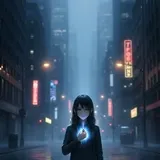
A man steps off a train into a rainy cyberpunk city at night.

  • Visual style Cinematic
  • Format Vertical 9:16
  • Length 30 s
  • Mood Dramatic

Example video

Cinematic short from a one-line prompt

Your idea

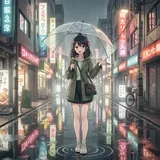
A paper boat travels down a mountain stream to the sea.

  • Visual style Cinematic
  • Format Vertical 9:16
  • Length 30 s
  • Mood Calm

Example video

3D photoreal look

Your idea

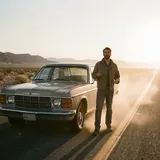
A birthday party seen from the dog's eye level.

  • Visual style Cinematic
  • Format Vertical 9:16
  • Length 30 s
  • Mood Fun

Example video

Claymation look

Three steps

How it works

  1. 1

    Describe the scene

    Write what should be on screen: the subject, the place and what happens, like a paper boat drifting down a mountain stream. Pick the mood, a visual style, and AI video or AI images.

  2. 2

    Shape the plan

    Zebracat turns your prompt into a short script with scenes and a voice as soon as you press "Generate video" and sign up free. Change any of it before generating.

  3. 3

    Make the video

    Press Generate when the plan matches what you pictured. Download the video and post it, or keep it for a bigger project.

What you get

What you can make with it

A whole video from one line

Your prompt becomes a short script, the script becomes scenes, and each scene is made and put together with a voiceover, music and captions. What comes back has a beginning and an end, ready to post.

  • A script written from your prompt
  • Voiceover, music and captions added
  • 15, 30, 45 or 60 seconds

Eight looks, as video or as images

Pick the visual style, Cinematic, Photography, Pixar, 3D Render or Pixel Art among them, and choose whether the scenes are AI video or AI images. Images suit calm, narrated pieces; video suits scenes where something moves.

  • 8 visual styles on this page
  • AI video or AI images
  • Dramatic, Calm, Fun or Epic mood

Ready to post in minutes

Your prompt comes back as a finished video with a script, scenes, a voice, music and captions. Change a scene, the voice or the format in a click, then download it or post it.

  • Script, scenes and voice written for you
  • Pick a voice, or no voice at all
  • Any format: 9:16, 16:9 or 1:1
  • More edits in the Zebracat editor

Who it is for

Who is this tool for?

  • Storytellers with a scene in mind

    Write the shot you can already see, say a lone train pulling into a neon city at night, and get it back as a short with narration, music and captions.

  • Faceless channels that post often

    Go from a one-line idea to a finished short with a voice and captions, so a channel can keep posting without anyone on camera or any footage to film.

  • Designers trying out a look

    Plan the same prompt as Cinematic, Pixar or 3D Render and see which look suits a project before you commit to it.

  • Social teams filling a calendar

    Turn a campaign line into a 15 or 30 second teaser in the mood you pick, Dramatic for a launch, Calm for a brand story, Fun for a weekend post.

Comparison

Zebracat vs. Single-clip AI video generators

With Zebracat Single-clip AI video generators
What you get With Zebracat: A finished video with several scenes, a voiceover, music and captions. Single-clip AI video generators: One short clip per prompt, often without narration.
Script With Zebracat: Written from your prompt, and readable in the plan before anything is made. Single-clip AI video generators: None. The prompt describes one shot, not a story.
Voiceover With Zebracat: An AI voice in your language, or no voice. Single-clip AI video generators: Added in another tool, if at all.
Putting it together With Zebracat: Scenes are joined in order, with captions on top. Single-clip AI video generators: You stitch the clips together in an editor yourself.
Posting With Zebracat: Schedule it straight to TikTok, Instagram and YouTube. Single-clip AI video generators: Export, upload and caption each one by hand.

Good to know

More about this tool

What prompt to video means on Zebracat

Many prompt-to-video tools turn a sentence into one short clip. Zebracat treats the prompt as the idea for a whole video. You write one line, what happens, where and how it should feel, and pick a mood and a visual style. The AI writes a short script from it, splits that script into scenes, makes each scene as AI video or AI images, then adds a voiceover, music and captions and puts it all together. What you download is a finished video of 15 to 60 seconds with a beginning and an end, ready to post on its own or to drop into something bigger.

From one line to a finished video

Your prompt goes to the script first. Zebracat writes narration that fits the length you picked and the mood, Dramatic, Calm, Fun or Epic, then breaks it into scenes, each with its own description of what is on screen. Those scenes are made in the style you chose, from Cinematic and Photography to Pixar or Pixel Art, as moving AI video or as AI images. A voice is added in the language you set, unless you choose no voice, along with music and captions. You sign up to see the plan with the script and the scenes, and can change any of it before you press Generate. After that, the Zebracat editor is there for final changes.

Writing prompts that turn out well

Name a subject, a place and something that happens: "a paper boat travels down a mountain stream to the sea" gives the AI a route to follow. Add texture where it counts, rain, neon, early light, and skip camera jargon the scene does not need. Say who it is for or where it will run if that changes the tone. Pick AI video when things move and AI images for calmer, narrated pieces. Try the same prompt in two styles if you are unsure of the look. And if you already have the exact words you want spoken, the script to video maker reads a script as written.

Reviews

Rated 4.8 by creators and marketers

  • ★★★★★

    Amazing AI tool that is fun and easy to use.

    ”The variety—from photo-realistic to stop-motion—is perfect for my channel and better suited to my needs than other tools I've tried. I visit the site often and consistently get the results I want.”

    Kelly Kelly Content creator, small-business owner · Reviewed on G2
  • ★★★★★

    Hit +1M views on YouTube Shorts

    “I’ve been using it for 3 weeks, testing 3-4 videos per day. This saves a lot of time, gets results, and costs way less than hiring creators.”

    Yasemin F. Yasemin F. Social Media Marketer · Reviewed on Capterra
  • ★★★★★

    Great AI video tool!

    “I know (and used) a lot of AI video tools (for different usecases). Also direct competitors. Zebracat is the only one that gives great results very fast - also the caption styles are great!”

    Robert Leitinger Robert Leitinger CodeRocker - Online Marketing Agency · Reviewed on G2

FAQ

Frequently asked questions

What should I type in the prompt?

Say what happens, where, and how it should feel. For example: 'a man stepping off a train into a rainy cyberpunk city, neon reflections on the wet street, moody and slow'. Add the audience or the platform if it matters.

Should I use prompt to video or script to video?

Use prompt to video when you have an idea and want Zebracat to write the narration. If you already have the exact words, use the script to video maker, which reads your script as written.

How long can the video be?

15, 30, 45 or 60 seconds on this page. The length can change in your plan before you generate.

Can I make videos for TikTok, Reels and Shorts?

Choose Vertical 9:16 and the scenes are made for the phone. Horizontal 16:9 is there for YouTube and Square 1:1 for feed posts.

Which languages can I use?

The language picker covers English, Spanish, German, French, Portuguese, Hindi, Japanese and many more. Write the prompt in any of them; the narration and captions come out in the one you pick.

Is prompt to video free?

Planning is free, and your first video is free. After that, videos use your plan's allowance.

Can I use the videos commercially?

Paid plans include commercial rights, so the videos can go into ads, client work and monetized channels.

What is prompt to video?

Prompt to video turns a short text description into a complete video. Zebracat writes a script from your prompt, splits it into scenes, creates the visuals in the style you pick, adds a voiceover, music and captions, and puts it all together.

Keep going

Go further

Make the whole video with Zebracat

Ready to make your video?

Your first video is free. No editing skills needed.

Start now