Black FridayEarly Black FridayBF up to −65%Early BF up to −65%Up to 65% off yearly plansEnds inFinal hours00d00h00m00sClaim the deal →
  • Capterra 4.9 /5
  • G2 4.8 /5
  • Trustpilot 4.7 /5

AI Product Video Generator

Name your product, list three features and pick the look, and Zebracat makes it the hero of every shot: close-ups, smooth camera moves and a narrated call to action. Use it for ads, product pages and launches.

  • Reads your product page
  • Product only or presenter
  • Ends on your call to action
Try an example

Your idea

Say it in your own words, or start from an example above.

Three key features

Look
On screen

The look

The look of every scene. Hover a style to see it move.

Visual style

Length and format

Where it will be posted and how long it runs.

Format
Length

You can change the length in your plan before you generate.

Voice and sound

Who tells the story, and what plays behind it.

Voice

All voices

Your first video is free. Sign up on the next step and get your video in minutes.

From idea to video

Start from an idea that works

Three ideas this tool is made for. Open one in the form and make it your own.

Your idea

For commuters and travellers who want quiet without a bulky headset.

  • Visual style Photography
  • Format Vertical 9:16
  • Length 30 s
  • Product name Noise-cancelling wireless earbuds
  • Three key features 40-hour battery
  • Call to action Shop now

Example video

Product showcase made with Zebracat

Your idea

For home cooks tired of replacing non-stick pans every two years.

  • Visual style Photography
  • Format Vertical 9:16
  • Length 30 s
  • On screen With a presenter
  • Product name Cast-iron skillet
  • Three key features pre-seasoned

Example video

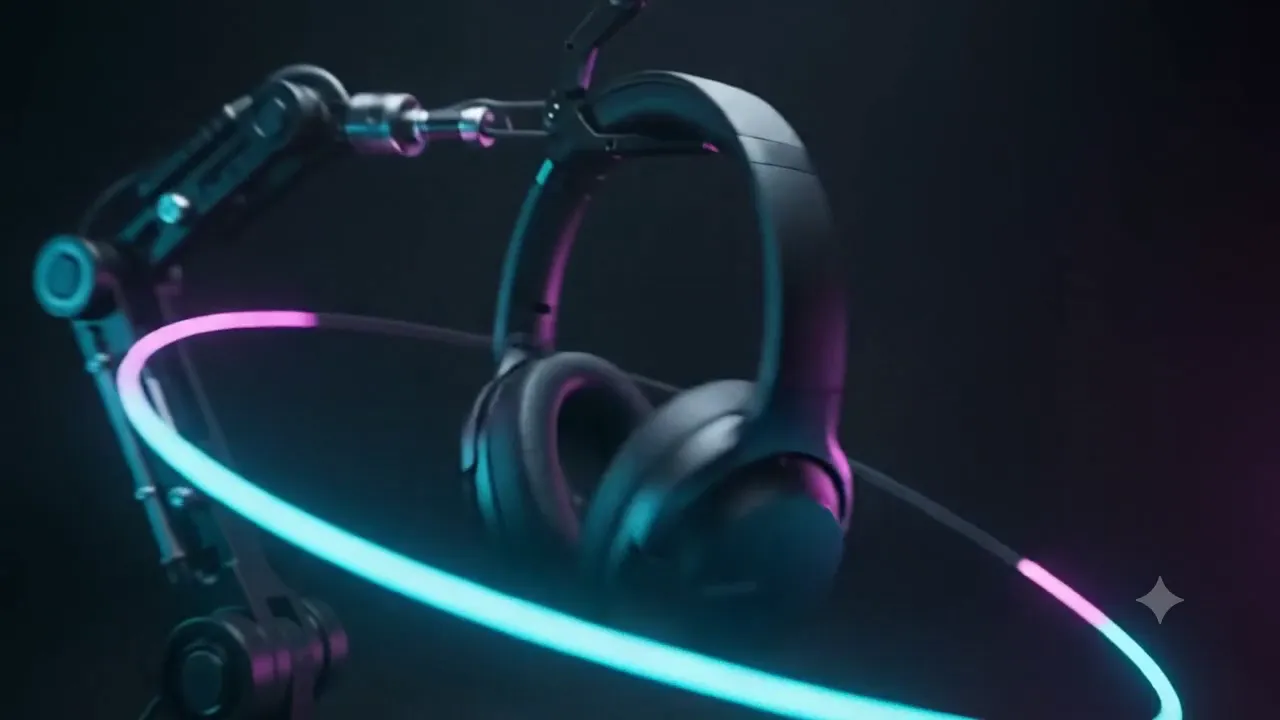
3D photoreal look

Your idea

For people who forget to drink water at their desk.

  • Visual style Photography
  • Format Vertical 9:16
  • Length 30 s
  • Product name Smart water bottle
  • Three key features glows when it's time to drink
  • Call to action Order now

Example video

Studio photography look

Three steps

How it works

  1. 1

    List the three features

    Type the product name and its three key features, and paste the product page link if you have one. Choose a look such as Studio white or Dark premium, and whether a presenter shows it.

  2. 2

    Check every product shot

    Press "Generate video" and sign up free to see the narration, each product shot and your call to action at the end. Fix a feature or the wording before the video is made.

  3. 3

    Download it for your shop

    Generate the video, then download it for your product page or your social posts.

What you get

What you can make with it

The product is in every shot

This maker keeps the camera on the product: close-ups, detail shots and camera moves, with narration that walks through your three features. Choose Product only for clean shots, or With a presenter to have a person show it.

  • Close-ups and detail shots
  • Narration built on your three features
  • Closes on your call to action

A setting and a style that fit your brand

Set the scene with Studio white, Lifestyle, Dark premium or Outdoor, then pick the visual style: Photography, 3D Photoreal or Cinematic. 3D Photoreal gives a clean, rendered catalogue feel; Lifestyle puts the product where people would use it.

  • Studio white, Lifestyle, Dark premium, Outdoor
  • Photography, 3D Photoreal or Cinematic
  • Vertical, horizontal or square

Narration written from your product page

Paste the product page link and Zebracat reads it for the details, so the narration can say what the page says. Add who it is for, the problem it solves or an offer in the brief, and the script ends on the call to action you typed, from Shop now to Get yours.

  • Product details read from the page link
  • Audience, problem and offer in the brief
  • An AI voice in the language you pick
  • Edit the narration in the plan first

Who it is for

Who is this tool for?

  • Online shops with a big catalogue

    Make a video for each product page from its name and three features. Use Studio white and the same style for each one so the range shares one look.

  • Founders launching a new product

    List what makes the product different and get a launch video with narration that ends on Order now or Join the waitlist. Rework the wording in the plan as the offer settles.

  • Marketers running product ads

    Plan a vertical cut for Reels and TikTok and a horizontal one for YouTube from the same features and call to action. Change the look to Dark premium for a launch push.

  • Marketplace sellers

    Give a listing a short video that walks through the three things buyers ask about, in the Photography or 3D Photoreal look, with the product in every shot.

Comparison

Zebracat vs. A studio product shoot

With Zebracat A studio product shoot
Samples With Zebracat: Nothing to ship. The video is planned from the name, the features and the page link. A studio product shoot: The product has to be at the studio, styled and lit, before anything is filmed.
Sets and looks With Zebracat: Switch between Studio white, Lifestyle, Dark premium and Outdoor in the form. A studio product shoot: Each set is built and lit on the day; a new look usually means another booking.
Narration With Zebracat: Written from your features and read by an AI voice in the language you pick. A studio product shoot: You write the script and hire a voice artist, or record it yourself.
Changes With Zebracat: Rewrite a line or drop a shot in the plan, then adjust again in the editor. A studio product shoot: A missed shot or a new feature means a reshoot, or living with what was filmed.
Your real product With Zebracat: Attach product photos in the studio and every shot shows your item. A studio product shoot: The product shipped, styled and lit before anything is filmed.

Good to know

More about this tool

What the AI product video maker does

A product video has one job: show the thing being sold clearly and give the viewer a reason to buy it. This maker builds that video from a few inputs: the product name, its three key features and the call to action, plus an optional link to the product page. Zebracat writes a narrated script that walks through the features, plans close-ups, detail shots and camera moves around the product, and generates every shot in the look you pick. It suits product pages, marketplace listings, launch posts and paid social ads, in vertical, square or horizontal, from 15 to 60 seconds.

How a product video is planned and made

Zebracat starts with the facts you give it. With the product page link it reads the page for the product details, and the three features set what the narration must cover. Look picks the setting, Studio white, Lifestyle, Dark premium or Outdoor, and On screen decides whether a presenter appears. The AI writes the script, plans each shot so the product stays in frame, and makes the visuals in the style you chose, with an AI voiceover and captions. After you sign up you see that plan before anything is generated, and can rewrite a line or drop a shot. Once it is made, the Zebracat editor lets you adjust the video before you download it.

Tips for a product video that looks right

The shots are generated from your words, so describe what the product looks like: the colour, the material, the shape. Write features a buyer can picture: "40-hour battery" says more than "long battery life". Pick the setting for where the video will run, Studio white for a product page, Lifestyle for social, Dark premium for a launch. Keep the call to action to two or three words, like Shop now or Get yours. Choose With a presenter when the product needs to be shown in someone's hands, and Product only when the object itself is the point. Check that every claim in the script is true before you generate.

Reviews

Rated 4.8 by creators and marketers

  • ★★★★★

    Great AI video tool!

    “I know (and used) a lot of AI video tools (for different usecases). Also direct competitors. Zebracat is the only one that gives great results very fast - also the caption styles are great!”

    Robert Leitinger Robert Leitinger CodeRocker - Online Marketing Agency · Reviewed on G2
  • ★★★★★

    I work 3 hours less per day.

    “Since I have been using Zebracat, it has changed the way I work. I save 3 hours a day because the speed of content creation in Zebracat is really impressive.”

    Federico Coppola Federico Coppola CEO at jumponline.it · Reviewed on Trustpilot
  • ★★★★★

    Fresh content that converts

    “We are always on the lookout for new, fresh content which drives conversions for our brands. Finally, we don't rely on expensive and costly agencies anymore.”

    Márton Márton Founder & CMO · Reviewed on Trustpilot

FAQ

Frequently asked questions

What should I type?

The product name and its three key features go in their own fields, for example 'Noise-cancelling earbuds: 40-hour battery, rain-proof, fits any ear'. Use the text box for who it's for, the problem it solves or an offer.

Can the video show my real product?

Yes. After a free sign-up, attach photos of your product in the studio, and every shot shows your real product, not a lookalike.

Can I paste my product page link?

Add it and Zebracat reads the page for the product details. It's optional, though: the name and the three features are enough to plan the video.

Can a presenter show the product?

Set 'On screen' to With a presenter and a person shows it. Product only keeps the shots on the object.

How long can the product video be?

15, 30, 45 or 60 seconds. A product page usually needs 15 or 30. You can change it in your plan before you generate.

Can I make product videos for TikTok, Reels and Shorts?

Pick Vertical 9:16 for TikTok, Reels and Shorts. Square 1:1 suits a feed or a marketplace listing, and Horizontal 16:9 a product page or YouTube. You can switch in your plan.

Is the AI product video generator free?

Planning is free, and your first video is free. After that, videos use your plan's allowance.

Can I use the video in ads?

With a paid plan. Those include commercial rights for ads, client work and monetized channels. Make sure every claim in the script is true for your product.

What is an AI product video maker?

A tool that makes a video where the product is on screen in every shot: close-ups, details and camera moves, and narration that ends on your call to action. Zebracat writes the script and generates the shots from your description.

Is it a good fit for a small online shop?

It is. A shop with a few products can make a video for each one from its product page, without a studio. Start with your best seller, check the narration in the plan, then reuse that look and call to action for the rest.

Keep going

Go further

Make the whole video with Zebracat

Ready to make your video?

Your first video is free. No editing skills needed.

Start now