Black FridayEarly Black FridayBF up to −65%Early BF up to −65%Up to 65% off yearly plansEnds inFinal hours00d00h00m00sClaim the deal →
  • Capterra 4.9 /5
  • G2 4.8 /5
  • Trustpilot 4.7 /5

New Free

Audio to Text Converter

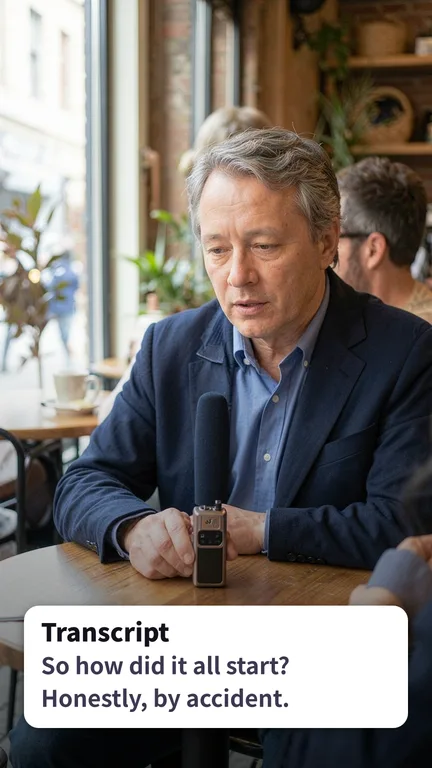
Turn recordings into text: voice memos, interviews, podcast episodes, lectures and calls. Whisper runs in your browser, so the recording stays with you, and you get the words with their timestamps.

  • Voice memos, interviews, podcasts
  • Made on your device
  • Free
  • Timestamps included

Three steps

How it works

  1. 1

    Choose the recording

    M4A voice memos, WAV interviews, MP3 podcasts, OGG or FLAC files all work.

  2. 2

    Set the language and start

    Pick the spoken language for best accuracy, or let Whisper detect it, then press Transcribe.

  3. 3

    Review and save

    Correct names and terms in the box, copy the text or download TXT, SRT or VTT.

What you get

Why use this one

Trained on everyday speech

Voice memos, phone interviews, dictation and lectures are what Whisper was trained on: it learned from 680,000 hours of speech in many languages, so it copes with accents and casual speech.

  • Voice memos and dictation
  • Phone interviews and lectures
  • Copes with accents and casual speech

Text you can work with

The transcript arrives in an editable box with paragraphs at pauses, plus a timed table. Copy it, fix it, or download TXT; SRT and VTT give the same words with times for subtitles.

  • Editable transcript
  • Paragraphs at pauses
  • A timed table
  • TXT, SRT and VTT

Private recordings stay private

Medical notes, legal interviews and personal memos are transcribed on your device. The page downloads the engine and model and transcribes on your device; when you save it, the result goes to your Zebracat account.

  • Nothing uploaded
  • Free account to save
  • Model cached for next time

Who it is for

Who is this tool for?

  • Researcher with interview recordings

    Transcribes a 20-minute WAV interview on a laptop. The ethics approval says participant audio stays off third-party servers, and here it does.

  • Someone with voice memo ideas

    Turns a week of M4A voice memos into text and pastes the best ideas into a notes app.

  • Podcaster writing show notes

    Transcribes an episode MP3 and lifts quotes and a summary for the show notes.

  • Writer dictating a draft

    Dictates a chapter on a walk, transcribes the recording and edits the draft in the box.

Comparison

Zebracat vs. Typing it out while listening

With Zebracat Typing it out while listening
Time With Zebracat: Minutes of processing. Typing it out while listening: Several times the recording's length.
Timestamps With Zebracat: Added automatically. Typing it out while listening: Noted by hand, if at all.
Accuracy With Zebracat: Very good on clear speech; check names. Typing it out while listening: As good as the typist.
Effort With Zebracat: Review and fix. Typing it out while listening: Every word typed.

Good to know

More about this tool

Which audio files work

Anything your browser can decode, such as MP3, M4A (AAC), WAV, OGG, Opus and FLAC, is read directly. Formats the browser cannot decode, such as WMA or AMR, are decoded with the site's ffmpeg engine instead, which is an extra download the first time. Files up to 500 MB are accepted.

What happens to the sound

The page turns your recording into 16 kHz mono samples, the input Whisper expects, splits it into windows of up to 30 seconds at quiet moments, and transcribes each window in a background thread so the page stays responsive. Text appears window by window, so you can start reading before it finishes.

Tips for better results

Record close to the speaker and away from music or traffic. Choose the language rather than relying on detection when the recording starts with silence or noise. Whisper does not separate speakers, so for an interview add names yourself in the box. Proper nouns and jargon are the most common errors: search for them before you share the text.

FAQ

Frequently asked questions

How do I convert audio to text?

Choose the audio file above, pick the language, press Transcribe, then copy or download the text.

Which audio formats are supported?

MP3, M4A, WAV, OGG, Opus and FLAC directly; WMA and AMR through the ffmpeg engine.

Is my recording private?

Yes. It is transcribed in your browser; when you save it, the result goes to your Zebracat account.

How accurate is it?

Very good on clear speech. Names, jargon, music and crosstalk cause most errors, so read it through.

Does it separate speakers?

No. You get one transcript with timestamps; add speaker names yourself.

Does it work offline?

After the first run the model is cached in your browser, but the page itself needs a connection to load.

Keep going

Go further

Make the whole video with Zebracat

Make your next video with AI

Describe an idea and Zebracat writes the script, makes the scenes and adds a voiceover and captions.

Start now