Black FridayEarly Black FridayBF up to −65%Early BF up to −65%Up to 65% off yearly plansEnds inFinal hours00d00h00m00sClaim the deal →
  • Capterra 4.9 /5
  • G2 4.8 /5
  • Trustpilot 4.7 /5

New Free

Video to Text: Free Video Transcription

Transcribe a video right in your browser. Drop an MP4, MOV, WebM or MKV, pick the spoken language or let it detect it, and get the words with timestamps, ready as TXT, SRT or VTT.

  • MP4 to text
  • Timestamps, SRT and VTT
  • Made on your device
  • Edit before you download

Three steps

How it works

  1. 1

    Drop the video

    Choose an MP4, MOV, WebM, MKV or AVI. The page pulls out the sound itself, on your device; when you save it, the result goes to your Zebracat account.

  2. 2

    Transcribe

    Pick the language, or keep "Detect automatically", and press Transcribe. The first time, the speech model downloads once.

  3. 3

    Edit and download

    Fix any word in the box, then download TXT for notes or SRT and VTT for subtitles.

What you get

Why use this one

MP4 to text, with timestamps

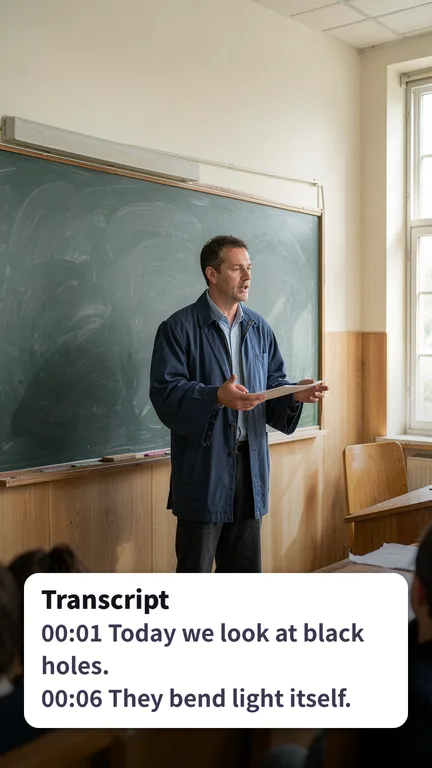
Every line comes with the time it was said, shown in a table and written into the SRT and VTT files. Jump to a quote, cite a moment, or load the subtitles straight into a player.

  • Timed lines in a table
  • SRT and VTT files
  • Plain TXT for notes

Whisper, on your own device

The transcription runs OpenAI's open Whisper model (the base size, multilingual) in your browser through WebAssembly. Your video is decoded and transcribed locally; nothing is sent to a transcription service.

  • Open Whisper model
  • Runs in your browser
  • About 77 MB, downloaded once

Where it gets slow

It is fast on a laptop: on our test machine 24 seconds of speech took about 9 seconds. A phone is slower, an hour-long video takes many minutes, and the transcript has no speaker names.

  • 24 s of speech in about 9 s on our laptop
  • Phones take longer
  • Long videos take minutes
  • No speaker labels

Who it is for

Who is this tool for?

  • Journalist with an interview video

    Drops a 12-minute MP4 of an interview, gets timed text, and copies two exact quotes with their timestamps into the article.

  • Student with a recorded lecture

    Transcribes a lecture video, edits a few names in the box and downloads TXT notes to study from.

  • Creator adding captions

    Turns a talking-head MP4 into an SRT, fixes two words and uploads the subtitles with the video.

  • Team keeping meeting notes

    Transcribes a recorded meeting video and pastes the text into the team's notes, without sending the recording to a third party.

Comparison

Zebracat vs. A paid transcription service

With Zebracat A paid transcription service
Cost With Zebracat: Free. A paid transcription service: Billed per minute of audio.
Privacy With Zebracat: The video is made on your device; when you save it, the result goes to your Zebracat account. A paid transcription service: The file is uploaded to their servers.
Speaker names With Zebracat: Not included. A paid transcription service: Often labels each speaker.
Speed on long files With Zebracat: Depends on your device. A paid transcription service: Their servers, usually fast.
Edit before download With Zebracat: Fix any word in the box, then download. A paid transcription service: Often download first, then fix in another app.

Good to know

More about this tool

How video transcription works here

When you press Transcribe, the page fetches the transformers.js library and its WebAssembly engine from a CDN, checking each file's hash, and the Whisper base model from the Hugging Face hub. Your browser then decodes the video's sound to 16 kHz mono, splits it into windows of up to 30 seconds at quiet moments, and Whisper turns each window into timed text in a background thread.

Getting an accurate transcript

Clear speech close to the microphone transcribes best. Setting the language helps when the speaker has a strong accent or switches languages. Music under the voice, overlapping speakers and long silences cause more errors, and Whisper can sometimes repeat a phrase or invent a word in silence, so read the transcript before you publish it.

Other things people do with a transcript

Download the SRT and you have subtitles for the video. A talk can become a blog post or a few social captions, and a folder of transcripts makes a video library searchable. If you want a new video out of it, "Make a video from this text" hands the transcript to the studio, which turns it into a narrated video.

FAQ

Frequently asked questions

How do I convert a video to text?

Drop the video above, choose the language or keep automatic detection, press Transcribe and download the transcript as TXT, SRT or VTT.

Is this an MP4 to text tool?

Yes. MP4 is the usual input; MOV, WebM, MKV and AVI work too.

Do you upload my video?

Only the result, and only when you save it. The sound is decoded and transcribed in your browser. The page downloads the library and the model, and your file stays where it is.

Which languages work?

Whisper understands about 99 languages. The menu lists common ones; "Detect automatically" picks the language itself.

Does it say who is speaking?

No. The transcript has timestamps but no speaker names.

How long does it take?

On our test machine 24 seconds of speech took about 9 seconds. Long videos take minutes, and phones are slower. The first run also downloads the model, about 77 MB.

Can I make subtitles from it?

Yes. Download the SRT or VTT and add it to your video or player.

Keep going

Go further

Make the whole video with Zebracat

Make your next video with AI

Describe an idea and Zebracat writes the script, makes the scenes and adds a voiceover and captions.

Start now