Black FridayEarly Black FridayBF up to −65%Early BF up to −65%Up to 65% off yearly plansEnds inFinal hours00d00h00m00sClaim the deal →
  • Capterra 4.9 /5
  • G2 4.8 /5
  • Trustpilot 4.7 /5

New Free

Video to GIF Converter

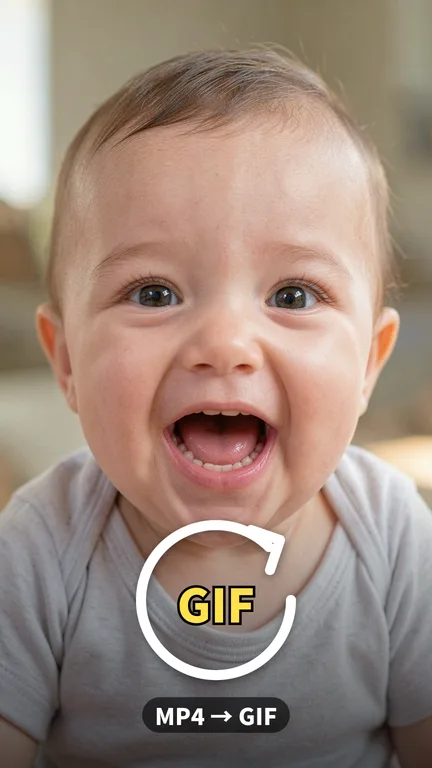
Turn any video clip into a GIF. Scrub to the moment, set the start and end, choose the frame rate and width, and download a looping GIF. Works as an MP4 to GIF converter and for MOV, WebM and more.

  • Nothing uploaded
  • Loops forever

Made in your browser. Saved to your Zebracat account.

Drop a video here

or

MP4, MOV, MKV, AVI or WebM, up to 500 MB

Three steps

How it works

  1. 1

    Load your clip

    Choose an MP4, MOV, WebM or other video. It plays in the page so you can find the moment.

  2. 2

    Set the moment and size

    Drag start and end, or press "Start here" and "End here" while it plays. Pick 10 to 25 frames per second and a width.

  3. 3

    Make the GIF

    Press "Make GIF". It loops forever and is ready to drop into a chat, a doc or a page.

What you get

Why use this one

A palette made for your clip

A GIF can show only 256 colours per frame. Instead of a generic palette, the converter builds one from the frames you picked, weighting what moves, then dithers smoothly. Skin, skies and gradients come out cleaner.

  • 256 colours, picked from your frames
  • Smooth Bayer dithering
  • Only the changed areas redrawn
  • Cleaner skin, skies and gradients

MP4 to GIF and every other source

Phone MP4s, iPhone MOVs, WebM screen recordings, MKV and AVI files all work. The clip plays in the page when your browser can show it, so you can scrub to the exact second.

  • MP4, MOV, WebM, MKV, AVI
  • Scrub and set start and end
  • Video clip to GIF in one pass

Keeping the file light

GIFs grow with every second, frame and pixel. In our test, 4 seconds at 480 px and 15 fps made a 2.3 MB GIF. Shorter, narrower or slower makes it lighter; the GIF compressor shrinks it further.

  • 10, 15, 20 or 25 fps
  • 320 to 800 px wide
  • Starts with the first 6 seconds

Who it is for

Who is this tool for?

  • Team lead showing a bug

    Records a 12-second screen clip of a broken button, cuts the 3 seconds that matter and posts a GIF in the team chat where it plays inline.

  • Meme maker

    Picks a 2-second reaction from a phone MP4, makes a 480 px GIF at 15 fps and shares it in a group chat.

  • Docs writer

    Turns a short product demo video into a 640 px GIF for a help article, where a GIF autoplays without a player.

  • Email marketer

    Converts a product teaser video into a light GIF for a newsletter, since most email apps show GIFs but not video.

Comparison

Zebracat vs. A screen-capture-to-GIF app

With Zebracat A screen-capture-to-GIF app
Source With Zebracat: The video file itself, full quality. A screen-capture-to-GIF app: Whatever is on screen, scaled and cropped by hand.
Picking the moment With Zebracat: Scrub, then set start and end. A screen-capture-to-GIF app: Record again until the timing is right.
Colours With Zebracat: A palette built from your clip. A screen-capture-to-GIF app: Often a fixed palette.
Install With Zebracat: None. A screen-capture-to-GIF app: A desktop app.

Good to know

More about this tool

When a GIF beats a video

A GIF plays by itself, loops and needs no player, sound or click. That is why it works in chats, emails, documentation, code reviews and slides where a video file would show as an attachment. The price is weight and colour: GIFs suit short moments of a few seconds, not whole clips.

What happens when you press Make GIF

The page runs ffmpeg in your browser. It cuts the part you chose, sets the frame rate, scales to your width without ever enlarging, then makes two passes in one go: one builds a 256-colour palette from your frames, the next maps every frame onto it with dithering and redraws only what changed. The GIF is set to loop forever.

Choosing frame rate and width

For a reaction or a UI demo, 10 to 15 fps reads as smooth and keeps the file down. Use 20 to 25 fps for fast motion. 480 px suits chats and most pages, 320 px emails, 640 to 800 px documentation where detail matters. If the result is still too heavy, run it through the GIF compressor.

FAQ

Frequently asked questions

How do I convert a video to a GIF?

Load the clip above, set the start and end, pick frames per second and width, then press "Make GIF" and download it.

Is this an MP4 to GIF converter?

Yes. MP4 is the most common input, and MOV, WebM, MKV, AVI and other video files work the same way.

How long can the GIF be?

There is no hard limit, but every second adds weight. In our test 4 seconds at 480 px and 15 fps came to 2.3 MB. Keep it to a few seconds for chats and emails.

Why does my GIF look grainy?

GIF allows 256 colours per frame, so smooth gradients are dithered. A palette built from your clip keeps it as clean as the format allows.

Does the GIF have sound?

No. GIF is a silent picture format.

Does my video get uploaded anywhere?

Only the result, and only when you save it. The GIF is made in your browser; when you save it, the result goes to your Zebracat account.

Keep going

Go further

Make the whole video with Zebracat

Make your next video with AI

Describe an idea and Zebracat writes the script, makes the scenes and adds a voiceover and captions.

Start now