Black FridayEarly Black FridayBF up to −65%Early BF up to −65%Up to 65% off yearly plansEnds inFinal hours00d00h00m00sClaim the deal →
  • Capterra 4.9 /5
  • G2 4.8 /5
  • Trustpilot 4.7 /5

New Free

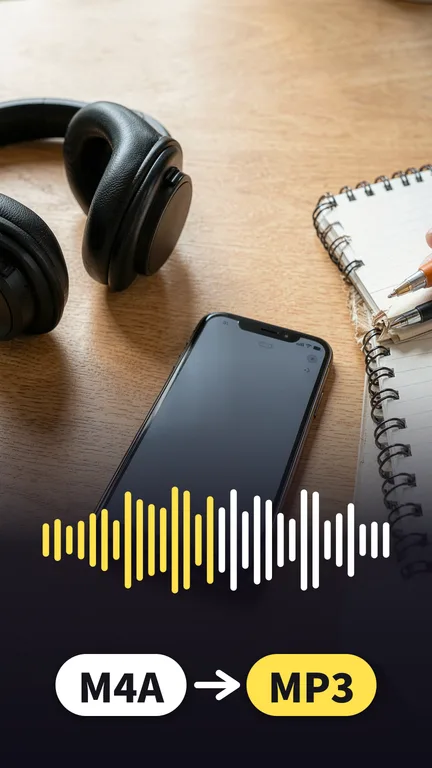
M4A to MP3 Converter

Turn iPhone Voice Memos, iTunes tracks and other M4A audio into MP3. The MP3 is encoded at a high variable bitrate, around 190 kbit/s, so it sounds like the original to most ears.

  • Voice Memos welcome
  • Made on your device

Made in your browser. Saved to your Zebracat account.

Drop a video or audio file here

or

Any common format, up to 500 MB

Three steps

How it works

  1. 1

    Pick the M4A

    Share a voice memo to Files or your computer, or find the track in your music folder, then choose it here.

  2. 2

    Convert to MP3

    Press "Convert file". The AAC or Apple Lossless sound is decoded and encoded with LAME.

  3. 3

    Download the MP3

    Send it, upload it or load it onto any player.

What you get

Why use this one

Voice Memos that open anywhere

The iPhone Voice Memos app saves AAC audio in .m4a files. Some web forms, older car stereos and Windows tools want MP3 instead. Converted, your memo works with all of them.

  • Voice Memos to MP3
  • Accepted by MP3-only forms
  • Plays on old car stereos

Encoded at LAME's V2 setting

The MP3 uses LAME's V2 setting: a variable bitrate around 190 kbit/s that spends more bits on complex passages and fewer on silence.

  • About 190 kbit/s on average
  • More bits for busy passages, fewer for silence
  • Sample rate kept
  • Mono stays mono, stereo stays stereo

Apple Lossless too

Some M4A files hold Apple Lossless (ALAC) rather than AAC. Those convert as well; the MP3 is smaller but no longer lossless, so keep the original for archiving.

  • Reads AAC and ALAC
  • A smaller file to share
  • Keep the ALAC file for your archive

Who it is for

Who is this tool for?

  • Journalist with an interview memo

    Recorded an interview in Voice Memos and converts the M4A because the transcription service at work only takes MP3.

  • Songwriter sharing a demo

    Hums an idea into Voice Memos, converts it and emails an MP3 bandmates can open on any phone.

  • Driver with an MP3-only stereo

    Converts a folder of iTunes AAC tracks one by one for a USB stick the car stereo reads.

  • Student submitting a recording

    Has to hand in a language exercise as MP3 and converts the M4A from the phone.

Comparison

Zebracat vs. Re-exporting from a music app

With Zebracat Re-exporting from a music app
Install With Zebracat: None. Re-exporting from a music app: A desktop music app set up for MP3.
Voice Memos With Zebracat: Pick the file, done. Re-exporting from a music app: Import to a library first.
Quality With Zebracat: VBR around 190 kbit/s. Re-exporting from a music app: Whatever the app's import setting is.
Upload With Zebracat: None. The memo is converted on your device. Re-exporting from a music app: None, once the desktop app is installed and set up.

Good to know

More about this tool

What M4A is

M4A is the extension for audio-only MP4 files. Apple uses it for iTunes purchases, Voice Memos and Apple Lossless, and many Android recorders save it too. Inside is usually AAC, sometimes ALAC. M4A sounds good at small sizes, but MP3 remains the format accepted by the widest range of players, forms and older devices.

What the converter keeps and what it drops

Your browser runs ffmpeg locally. It decodes the first audio track of the M4A and encodes it with the LAME MP3 encoder at its V2 variable-bitrate setting. The sample rate and channels stay as they were. Cover art and the M4A's tags are not carried over. The file is made on your device; when you save it, the result goes to your Zebracat account.

Which M4A files convert

Voice Memos, recordings from phone apps and iTunes Store songs sold since 2009 all convert normally, because they have no copy protection. Apple Music downloads and older protected purchases (.m4p) are locked to Apple's apps.

FAQ

Frequently asked questions

How do I convert M4A to MP3?

Choose the M4A above and press "Convert file". The MP3 is ready in a few seconds.

How do I get a Voice Memo off my iPhone?

In Voice Memos, tap the recording, then Share, and save it to Files or send it to your computer. Pick that .m4a here.

Does converting lose quality?

A little, as AAC and MP3 are both lossy. At about 190 kbit/s most listeners hear no difference.

Can it convert Apple Music songs?

No. Apple Music downloads are copy-protected.

Are the song tags kept?

No, the MP3 holds the sound only. Add title and artist in your music app if you need them.

Does the memo get sent to a server?

Only the result, and only when you save it. Your browser does the conversion on your phone or computer; when you save it, the result goes to your Zebracat account.

Keep going

Go further

Make the whole video with Zebracat

Make your next video with AI

Describe an idea and Zebracat writes the script, makes the scenes and adds a voiceover and captions.

Start now