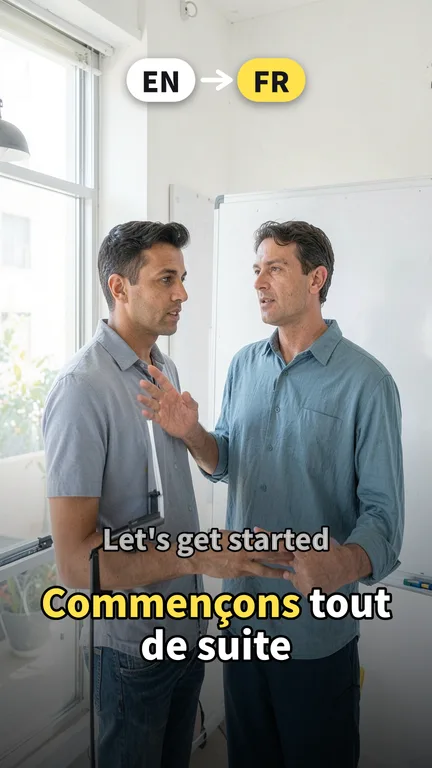
Spoken in the new language
Viewers hear the video in their own language instead of reading along, so their eyes stay on the picture.
- New voice track
- Natural phrasing
- Pictures unchanged
 Capterra 4.9
 G2 4.8
 Trustpilot 4.7
Translate your video into another language and hear it spoken in that language. Pick the language here. Add your video in the next step.
Your first video is free. Sign up on the next step and get your video in minutes.
Three steps
Pick it in the Translate into menu. Add a note on names to keep or the region you're speaking to.
Open in the studio on a Super Cat plan or higher. Attach the video with the paperclip and send.
The plan shows the translated speech. Fix a term, then generate the new version.
What you get
Viewers hear the video in their own language instead of reading along, so their eyes stay on the picture.
Zebracat keeps what each speaker means, how they say it and when. The wording in the new language should sound natural.
Keep a brand name in English, or ask for Latin American Spanish. Business viewers might want a formal register.
Who it is for
He translates a 4-minute English lesson on spreadsheets into Portuguese for his Brazilian students, keeping the menu names in English.
They turn an English product demo into German and French versions for their EU shop.
She makes a Spanish version of her Mexico City food tour for viewers in Latin America.
They translate a safety induction video into Polish and Ukrainian for warehouse staff.
Comparison
Good to know
Subtitles keep the original voice and add text. Dubbing replaces the speech with the new language. It suits tutorials, ads and children's content, where reading along is a chore, while subtitles suit films where the original performance matters. This page is for the spoken kind.
A course creator dubs one lesson into Spanish, German and Portuguese. A brand turns a product demo into five markets in an afternoon. A creator gives a YouTube video a second life in Hindi. Pick the language here, add any terms that must stay as they are, and every speaker gets a natural voice in the new language.
Video translation is on the Super Cat plan and up. Clear speech with little music underneath translates best. Write down any term that must not be translated, such as product names, and say who the audience is if a language has regional varieties.
Reviews
★★★★★
”The variety—from photo-realistic to stop-motion—is perfect for my channel and better suited to my needs than other tools I've tried. I visit the site often and consistently get the results I want.”
 Kelly Content creator, small-business owner · Reviewed on G2
★★★★★
“I’ve been using it for 3 weeks, testing 3-4 videos per day. This saves a lot of time, gets results, and costs way less than hiring creators.”
 Yasemin F. Social Media Marketer · Reviewed on Capterra
★★★★★
“I know (and used) a lot of AI video tools (for different usecases). Also direct competitors. Zebracat is the only one that gives great results very fast - also the caption styles are great!”
 Robert Leitinger CodeRocker - Online Marketing Agency · Reviewed on G2
FAQ
Pick the language, add notes, press Open in the studio, attach the video and send. Check the translated lines in the plan, then generate.
Super Cat and up.
The menu lists 24, including Spanish, Hindi, Japanese, Arabic and Filipino.
The new speech is voiced to fit the original speaker's tone. You can change the voice in the plan.
Write it in the notes, for example "keep Nordlab in English".
After a free sign-up, attach the video with the paperclip in the studio. Your language and notes are already there.
Make one request per language. Each version gets its own plan.
Keep going
Go further
Record a minute of your voice and have whole videos narrated by you.
Lifelike narration for your script, with the full video made around it.
Paste a script or an idea and get a finished video with voiceover, footage, music and captions.
Start free and upgrade when you need more videos and features.