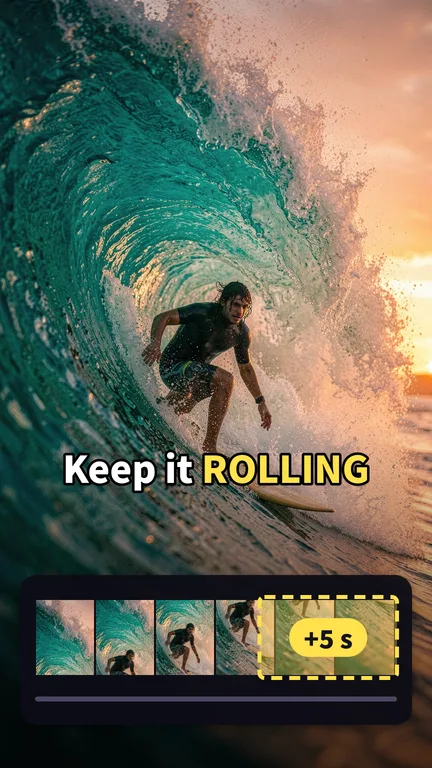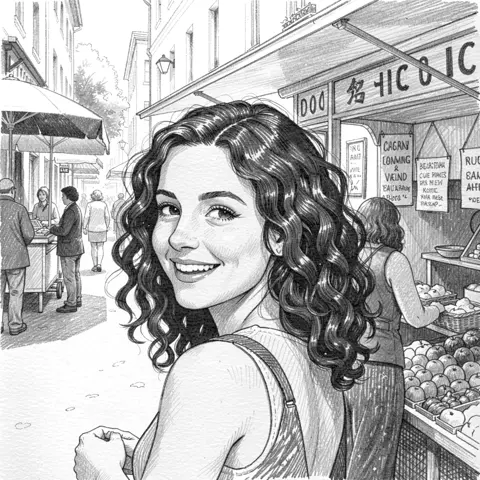
Starts on your final frame
The new scene begins from the exact picture your clip ends on. People, light and place carry over.
- Same characters
- Same lighting
- Same location
- Same camera angle to start
 Capterra 4.9
 G2 4.8
 Trustpilot 4.7
Continue a scene from where your clip ends. Pick your clip here and the page saves its last frame as a picture, on your device. Add that frame in the studio and say what happens next.
Your first video is free. Sign up on the next step and get your video in minutes.
Three steps
Choose your video. The page jumps to its end and draws the last frame in your browser. Save it as a PNG.
Say what happens after the frame. Then press Open in the studio and create your account.
Add the saved PNG with the paperclip, send, check the plan and generate the follow-on scene.
What you get
The new scene begins from the exact picture your clip ends on. People, light and place carry over.
The last frame is drawn on a canvas in your browser and saved as a PNG. Your clip is not uploaded by this page.
It continues a scene from a frame. Your original file stays the length it was, so you join the two in an editor.
Who it is for
Her drone shot ends on a cliff edge. She saves the frame and asks for "the camera keeps flying out over the sea at sunrise".
Their clip ends as a friend opens a box. They continue it with "confetti cannons fire and a llama walks in".
They extend a 6-second ad shot into a second beat where the car drives into a city at night.
He continues the last frame of the first dance into a slow pull back across the fairy-lit hall.
Comparison
Good to know
When you pick a video, the page loads it in a hidden player, seeks to just before the end, and draws that picture on a canvas at the clip's full size. You get a preview and a button that saves it as a PNG named after your clip. Nothing is sent anywhere. It all happens in your browser.
Some people expect an extender to make their uploaded file longer. This product works differently: it starts a new scene from a picture. That is why the page saves the final frame. The new scene begins on it and shows what happens next, and you place it after your original clip.
Keep the same shape as your original and describe motion that follows on naturally from the last moment. Don't ask for a new location in the first second. The composed text tells the studio "I will attach the last frame of my clip", so it expects your PNG.
Reviews
★★★★★
”The variety—from photo-realistic to stop-motion—is perfect for my channel and better suited to my needs than other tools I've tried. I visit the site often and consistently get the results I want.”
 Kelly Content creator, small-business owner · Reviewed on G2
★★★★★
“I’ve been using it for 3 weeks, testing 3-4 videos per day. This saves a lot of time, gets results, and costs way less than hiring creators.”
 Yasemin F. Social Media Marketer · Reviewed on Capterra
★★★★★
“I know (and used) a lot of AI video tools (for different usecases). Also direct competitors. Zebracat is the only one that gives great results very fast - also the caption styles are great!”
 Robert Leitinger CodeRocker - Online Marketing Agency · Reviewed on G2
FAQ
You save your clip's last frame here, write what happens next, and in the studio attach the frame. A new scene is made that starts from it.
No. It makes a new scene continuing from the last frame. Join the two in the editor or any video app.
Not by this page. The frame is drawn and saved in your browser.
Any file your browser can play, usually MP4 or WebM. For a MOV, convert it with the MOV to MP4 converter first first.
Some clips fade to black at the end. Trim the fade off first, then pick the clip again.
In the studio chat, after you sign up. The paperclip sits next to the message box.
Saving the frame is free and happens on your device. Planning is free too. Generating uses your plan's allowance.
Keep going
 Image Animator New Bring a still photo to life with gentle motion.
 AI Movie Maker A short film with a cast, dialogue and an ending.
 Crash Zoom Video Maker New A fast, punchy zoom into the subject of your photo.
 Prompt to Video Describe an idea in one line and let AI plan the whole video.
Go further
Give a single picture motion and use it as a scene in your video.
Write or paste your text and Zebracat builds the whole video around it.
Vertical videos sized for Instagram and ready to post.
Find the plan that fits how much video you make.