

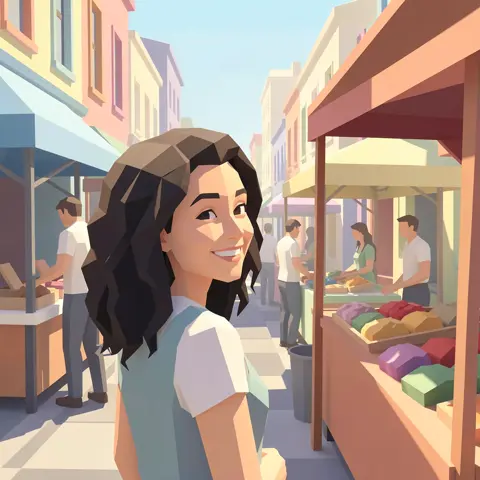
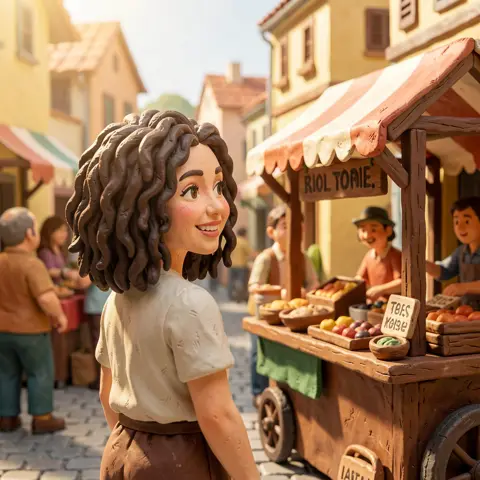

Toy-figure characters
Square heads and block bodies, simple expressions on smooth plastic faces, all in bright primary colours.
- Block bodies
- Simple faces
- Bright colours
 Capterra 4.9
 G2 4.8
 Trustpilot 4.7
Turn a game-world idea into a cartoon with blocky toy figures and smooth plastic faces. Describe the obby, the escape or the pet trade, and Zebracat makes the scenes.
Your first video is free. Sign up on the next step and get your video in minutes.
Three steps
An obstacle course, say, or a pet trade gone wrong. Tell us who the characters are.
3D Render is the default. Low Poly and Claymation suit toy-figure worlds too. Planning is free.
Approve the scenes, generate, and send the MP4 to the group chat or upload it to your channel.
What you get
Square heads and block bodies, simple expressions on smooth plastic faces, all in bright primary colours.
The stories players already tell each other: obstacle courses, tycoons, school escapes, pets.
Everything is made new from your words. No game footage, avatars or logos.
Who it is for
They write "my noob character finally beats the hardest tower" and share it with classmates.
He makes a weekly animated "story time" episode in the blocky look.
She animates "a block character learning to code a door" to start a game-design unit.
Its owner turns the classic "lag spike on the last jump" moment into a 15-second sketch with a dramatic slow fall.
Comparison
Good to know
Zebracat makes a blocky 3D toy-figure world with simple block bodies, smooth plastic faces and bright colours. It doesn't name any game. Not affiliated with or endorsed by Roblox Corporation.
Obbies, escape stories, "noob to pro" journeys, pet trading and tycoon building come up again and again. Short, relatable moments work well as 15 to 30 second clips. Lag at the worst possible time is a classic.
Children enjoy making their own animated stories. Sign-up and generation need an account holder, so a parent or teacher should make the video with them and read the plan together.
Reviews
★★★★★
”The variety—from photo-realistic to stop-motion—is perfect for my channel and better suited to my needs than other tools I've tried. I visit the site often and consistently get the results I want.”
 Kelly Content creator, small-business owner · Reviewed on G2
★★★★★
“I’ve been using it for 3 weeks, testing 3-4 videos per day. This saves a lot of time, gets results, and costs way less than hiring creators.”
 Yasemin F. Social Media Marketer · Reviewed on Capterra
★★★★★
“I know (and used) a lot of AI video tools (for different usecases). Also direct competitors. Zebracat is the only one that gives great results very fast - also the caption styles are great!”
 Robert Leitinger CodeRocker - Online Marketing Agency · Reviewed on G2
FAQ
It makes animations in a blocky toy-figure game look. You write the story. The characters and worlds are generated, not taken from any game.
Roblox Corporation does. Zebracat is not affiliated with or endorsed by Roblox Corporation.
Write exactly that in the box. Avatars are never imported from an account, only described.
Together with you, yes. The account is yours, and you read the plan with him before generating.
Low Poly looks chunkier, all facets. 3D Render looks smoother, like toy plastic.
A fall-and-retry joke fits in 15 seconds. A full climb with a friend needs about a minute.
Nothing. Credits are only used when you press Generate on the finished plan.
Keep going
 Block World Animation Maker New Animated stories in a voxel block world.
 Subway Surfers Video Generator Your story over Subway Surfers gameplay.
 Brainrot Video Generator Punchy stories narrated over gameplay footage.
 Fruit Drama Generator A 3D mini-drama starring talking fruit.
 Christmas Elf Video Generator New A little Christmas elf comes alive at night.
Go further
Write or paste your text and Zebracat builds the whole video around it.
Skip the blank page: a ready script from a one-line idea.
Turn text into a natural AI voiceover, then build the video around it.
Compare plans and see what each one includes before you upgrade.

