



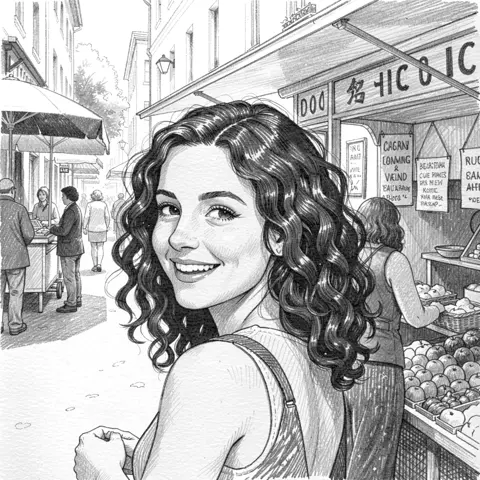
A reveal that ends on your mark
Pieces draw on and letters slide into place. Then the full logo holds still for the last beat.
- Draw-on shapes
- Sliding letters
- Final hold
 Capterra 4.9
 G2 4.8
 Trustpilot 4.7
Turn your logo into a short animated logo reveal in motion graphics. Upload the logo and type your name and colours here.
Your first video is free. Sign up on the next step and get your video in minutes.
Three steps
Give the name, the colours and a word for the personality, like playful or premium. Mention a length if you have one in mind.
Add your logo file here and press Open in the studio. Sign up: the logo and your words are already in the chat, so you just send.
Check the planned build-up, generate, and drop the clip at the start or end of your videos.
What you get
Pieces draw on and letters slide into place. Then the full logo holds still for the last beat.
Zebracat keeps your logo's shape and colours exactly. The motion is new. The mark is still yours.
Clean 2D motion graphics, not live-action footage. It's a paid-plan mode, and the studio shows the credits before anything is made.
Who it is for
She attaches her bean-shaped logo and asks for "steam rising into the letters, warm brown and cream, four seconds".
He attaches a shield logo and asks for "a fast metallic slam with a spark" as a sting before every video.
She mocks up three reveal ideas for a client's logo to choose from before final production.
They ask for "the icon folds out of a square, then the name types on" for the app store preview.
Comparison
Good to know
A short reveal at the start of a video tells viewers whose content it is before anything else happens. At the end, it leaves the brand as the last image on screen. Three to eight seconds is the usual range. Long enough to read, short enough that nobody skips it.
A PNG with a transparent background gives the cleanest result. A logo on a plain white or black background also works. Avoid screenshots with other page elements around the mark, and use the largest version you have.
Draw-on lines suit a clean, minimal mark. Letters that slide or drop in suit a wordmark. A glitch or a fast slam suits gaming and tech channels. A soft bounce suits a friendly brand. A 3D spin suits a solid emblem or icon. Name the style in the box, or describe the feeling and let the plan pick.
Reviews
★★★★★
“I know (and used) a lot of AI video tools (for different usecases). Also direct competitors. Zebracat is the only one that gives great results very fast - also the caption styles are great!”
 Robert Leitinger CodeRocker - Online Marketing Agency · Reviewed on G2
★★★★★
“Since I have been using Zebracat, it has changed the way I work. I save 3 hours a day because the speed of content creation in Zebracat is really impressive.”
 Federico Coppola CEO at jumponline.it · Reviewed on Trustpilot
★★★★★
“We are always on the lookout for new, fresh content which drives conversions for our brands. Finally, we don't rely on expensive and costly agencies anymore.”
 Márton Founder & CMO · Reviewed on Trustpilot
FAQ
Upload your logo, describe your brand here and open the studio. After sign-up the logo is already attached. Send, approve the plan and generate.
Motion graphics runs on Zebracat's paid plans. Planning is free, and your plan shows the exact credits before anything is made.
Motion graphics uses about 2 to 3 credits per second depending on quality. The studio shows the exact number before you generate.
A PNG with a transparent background.
The result is an MP4 with a background. Ask for a plain background colour that suits your videos.
Ask for music or a sound sting in the box. The plan shows what's included.
You can. Every scene stays editable in the editor.
Keep going
 YouTube Intro Maker New A short channel intro in motion graphics.
 URL to Video New Turn an article or a post into a short video.
 AI Motion Graphics Generator New Animated 2D explainers and ads, plus 3D product spots.
 Prompt to Video Describe an idea in one line and let AI plan the whole video.
 Product Video Maker Your product as the hero of every shot.
Go further
Start from your own pictures and animate them into short clips.
Paste a script or an idea and get a finished video with voiceover, footage, music and captions.
Write a few lines and get a Reel back with a voice and captions on it.
Start free and upgrade when you need more videos and features.