



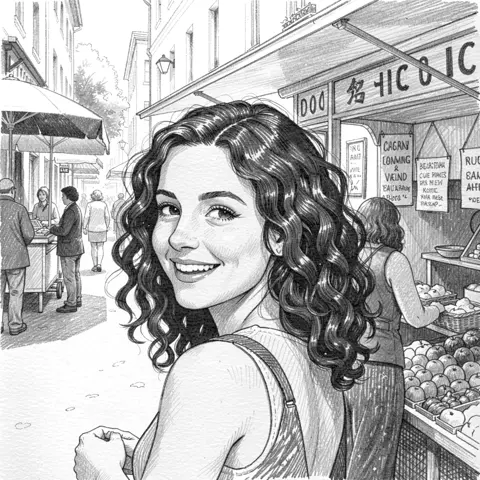
Short by design
Viewers decide fast whether to stay. A 5 to 10 second intro shows the name and gets out of the way.
- 5 to 10 seconds
- Name readable
- Gets out of the way
 Capterra 4.9
 G2 4.8
 Trustpilot 4.7
Make a short channel intro in motion graphics, with your channel name in bold moving type. Type the name and the vibe, add your logo if you have one, then finish in the studio.
Your first video is free. Sign up on the next step and get your video in minutes.
Three steps
The channel name, the topic and a couple of words for the feel, like "fast, neon".
Sign up and check the pasted text. A logo you added here is already attached, then send.
Generate the intro once and place it at the start of each video in your editor.
What you get
Viewers decide fast whether to stay. A 5 to 10 second intro shows the name and gets out of the way.
A cooking channel might get bounce and warmth. A finance channel gets clean lines. The vibe you type drives it.
Animated type and shapes, not stock footage. Motion graphics is a paid-plan mode, and you see the credits before generating.
Who it is for
She types "Kitchen Chaos, bright, bouncy, a pan flip" and uses the 6-second result on her first ten uploads.
He asks for "Respawn Ruby, neon purple, a timer that freezes on the name" for every run upload.
She wants "Clear Maths, calm navy and white, numbers that settle into the logo" before each lesson.
Two hosts ask for "The Long Table, warm wood tones, the title slides in like a menu card".
Comparison
Good to know
Most creators now keep intros short or move them after a quick hook, because long openings lose viewers in the first seconds. Five to ten seconds is enough to show the name and set the tone. Many channels open with a sentence about the video first, then play the intro.
The intro is a promise about the videos that follow. A calm, practical channel with a hyperactive intro sets the wrong tone. So describe your topic and audience as well as the colours. The studio uses that to pick the pace and the kind of motion.
Gaming: a fast metallic slam with sparks and neon. Cooking: bouncy type and a pan that flips. Tech: clean lines and a short glitch. Finance: calm navy, numbers that settle into the name. Podcast: warm tones and a title that slides in like a menu card. Describe your niche and the plan picks the pace.
Reviews
★★★★★
”The variety—from photo-realistic to stop-motion—is perfect for my channel and better suited to my needs than other tools I've tried. I visit the site often and consistently get the results I want.”
 Kelly Content creator, small-business owner · Reviewed on G2
★★★★★
“I’ve been using it for 3 weeks, testing 3-4 videos per day. This saves a lot of time, gets results, and costs way less than hiring creators.”
 Yasemin F. Social Media Marketer · Reviewed on Capterra
★★★★★
“I know (and used) a lot of AI video tools (for different usecases). Also direct competitors. Zebracat is the only one that gives great results very fast - also the caption styles are great!”
 Robert Leitinger CodeRocker - Online Marketing Agency · Reviewed on G2
FAQ
Type the channel name and vibe, press Open in the studio, sign up and send. Generate once the plan looks right.
Motion graphics runs on Zebracat's paid plans. Planning is free, and your plan shows the exact credits before anything is made.
Upload it in the box on this page. It stays attached through sign-up and arrives in the studio with your words.
A short sound helps it feel finished. Ask for it in the box.
Ask for vertical in the box. Shorts usually skip intros, so keep it very short.
Download the MP4 and place it at the start of each video in your editor.
Ask for one in the box: the same colours and vibe, with your call to action at the end.
Keep going
 Brainrot Video Generator Punchy stories narrated over gameplay footage.
 Animated Logo Maker New A short logo reveal in motion graphics.
 AI Motion Graphics Generator New Animated 2D explainers and ads, plus 3D product spots.
 VHS Video Maker New A retro video with the look of an old VHS tape.
 Script to Video Maker Paste your script, get a narrated video with matching visuals.
Go further
Longer videos for your channel, voiced and edited from your script.
Start with a topic and get a script you can turn straight into a video.
Grow a channel without showing your face, from brain rot to cinematic.
Start free and upgrade when you need more videos and features.