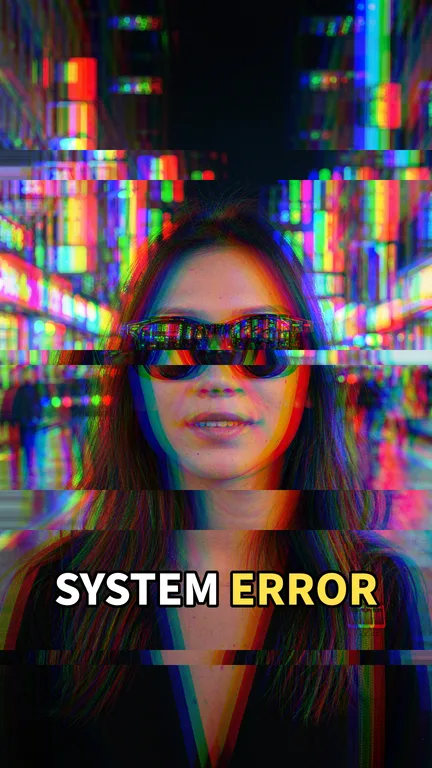


Corruption you can see
Red, green and blue pulled apart, pixels smearing from one frame into the next, and frames that freeze and jump.
- RGB split
- Datamosh smears
- Frozen frames
- Scan lines and pixel blocks
 Capterra 4.9
 G2 4.8
 Trustpilot 4.7
Make a video that looks like the signal is failing, with colours pulling apart and frames that smear and jump. Type your idea and get a short video.
Your first video is free. Sign up on the next step and get your video in minutes.
Three steps
A face, a city or a robot. Something that looks good when the signal fails.
Dramatic gives heavy corruption, fun gives playful hiccups. Then generate it.
Approve the plan, generate and download.
What you get
Red, green and blue pulled apart, pixels smearing from one frame into the next, and frames that freeze and jump.
Zebracat keeps the glitches strong but never lets them hide the subject, so the video still tells you something.
Hacker stories and electronic music teasers suit this look. So do creepy found-signal clips.
Who it is for
He asks for "a singer's face breaking into coloured blocks on the drop" as a 15-second teaser.
They make "a city's screens failing one by one" to open a webinar about outages.
She creates "a children's TV show interrupted by a corrupted signal" for a creepypasta channel.
He teases "a world that is falling apart" for a glitch-themed platformer.
Comparison
Good to know
Compressed video stores a full picture every so often and, in between, only what changed. Datamoshing removes some of those full pictures. The changes then land on the wrong image and colours smear across the frame. It started as a hack and turned into an art style in music videos.
RGB split shifts the colour channels apart, like a misaligned old projector. Scan lines and pixel blocks suggest a failing screen, and freezes and jumps suggest a broken signal. Two of these together already look convincing.
A glitch hits hardest when it interrupts something clear. Let a scene play cleanly, then break it on the key word or the beat drop. Constant corruption tires the eye. Every scene is made new with the glitch built in, so it looks designed, not damaged.
Reviews
★★★★★
”The variety—from photo-realistic to stop-motion—is perfect for my channel and better suited to my needs than other tools I've tried. I visit the site often and consistently get the results I want.”
 Kelly Content creator, small-business owner · Reviewed on G2
★★★★★
“I’ve been using it for 3 weeks, testing 3-4 videos per day. This saves a lot of time, gets results, and costs way less than hiring creators.”
 Yasemin F. Social Media Marketer · Reviewed on Capterra
★★★★★
“I know (and used) a lot of AI video tools (for different usecases). Also direct competitors. Zebracat is the only one that gives great results very fast - also the caption styles are great!”
 Robert Leitinger CodeRocker - Online Marketing Agency · Reviewed on G2
FAQ
Describe the video, pick a mood, press Generate video, sign up, check and generate.
No. It generates new scenes with the glitches built in. Footage you shot needs an editor with glitch effects.
The red, green and blue parts of the picture are shifted apart, leaving coloured fringes.
No. The prompt asks for glitches that never hide the subject.
15 seconds is the default here, which suits a teaser.
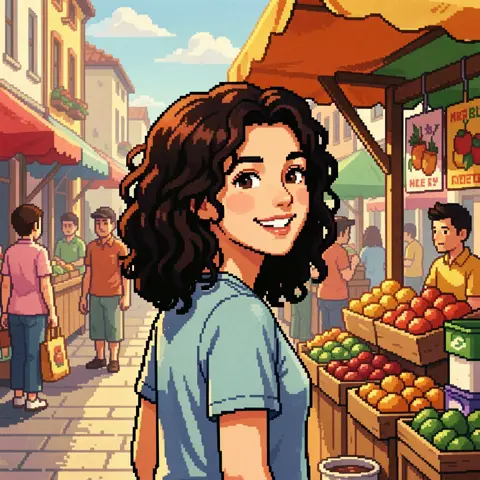
Cinematic or Photography as a base. Pixel Art if you want a retro digital feel.
No. Signing up and reading the plan are free, and credits go only on generation.
Keep going
 VHS Video Maker New A retro video with the look of an old VHS tape.
 YouTube Intro Maker New A short channel intro in motion graphics.
 Animated Logo Maker New A short logo reveal in motion graphics.
 K-pop Idol Video Generator New Glossy K-pop idol videos with stage lights and action.
 AI Video Extender New Continue a scene from the last frame of your clip.
Go further
Upload a photo and turn it into a moving video clip.
Make the scenes you cannot film, from a short description.
Start from a few lines of text and end with a video that has a voice, visuals and captions.
Start free and upgrade when you need more videos and features.